Linux - Bash scripts - Running unit tests with bats/bats
Learn how to effectively unit test your Bash scripts on Linux using the powerful bats (Bash Automated Testing System) framework. See practical examples for assertions, output checks, and failures.

This article is over a year old but was reviewed on July 30, 2026 — the content is still accurate.
This article is part of the Writing better Bash scripts series:
- Bash - ASCII art
- Bash - Loading environment variables from a file
- Bash - Script to add logging features to your script
- Bash - Echo on the console and in a logfile in the same time
- Linux - Compare two versions of the same script
- Linux - Sort functions in a Bash script
- Linux - Generate documentation from Bash scripts
- Linux - Take advantage of the number of CPUs you have; start concurrent jobs
- Linux - Using a progression bar in your script
- Linux - Bash scripts - Running unit tests with bats/bats

This article provides a comprehensive introduction to unit testing Bash scripts using the bats-core framework. It shows how to get started quickly by running tests within a Docker container, eliminating complex setup. The guide covers writing basic tests, using various assertion types like assert_output, assert_failure, and assert_equal, and demonstrates how to structure tests for real-world shell functions. More advanced topics such as mocking commands, testing multi-line and colored output, checking file contents, and using setup/teardown functions for test fixtures are also explained with practical examples.
Like all command-line developers, I write Linux Bash scripts. Like any programmer, I'm supposed to write unit tests. Well, I have to admit that I rarely write them.
Some time ago, I wrote a set of Bash scripts that make up a library of functions (just like a framework) and here, the interest in having unit tests is even greater since these functions are supposed to be stable and can be used as foundations for more advanced scripts. Two habits that make such a library testable in the first place: keeping the number of function parameters small and documenting each function with a doc block.
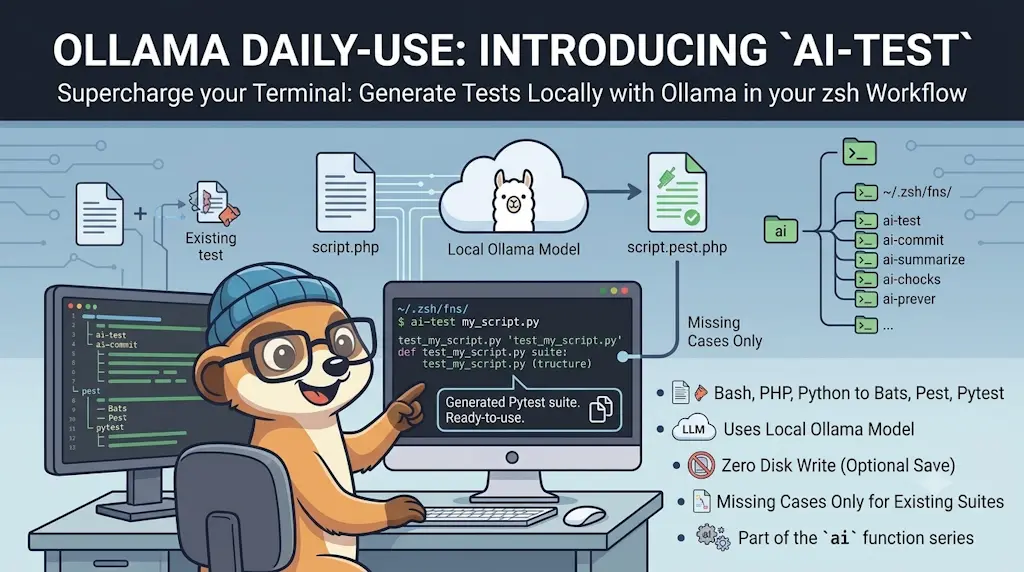
In this article, we look at how to write unit tests for Bash scripts. If you're after the PHP equivalent, see Write PHP unit tests using Pest; for functional/end-to-end testing rather than unit tests, I've also covered Behat, Cypress and Pest v4's browser testing; and if you'd rather have a first draft of the suite written for you, a local LLM can generate the missing cases.
Let's start with a little hors d'oeuvre
Like always, first, we'll create a new folder so we can play with some examples.
Please run mkdir -p /tmp/bats && cd $_ to create a temporary folder and jump in it; then run code . to start VSCode and open the folder.
We'll create a simple illustration file, let's call it tests/simple.bats and copy/paste the following content:
#!/usr/bin/env bats
setup() { bats_load_library bats-support bats_load_library bats-assert}
@test "Asserting it's hello" { run echo "hello" assert_output "hello" assert_success}
@test "Simple.bats exists" { run ls simple.bats assert_output --regexp "[Ss]imple\.bats" assert_success}This is a test file written in Bats (Bash Automated Testing System) that runs before each test to load support libraries, then defines two simple tests: one that verifies the echo command outputs 'hello', and another that checks whether a file named simple.bats exists in the current directory.
And now, the very difficult part is, ouch no, really easy in fact, to run Bats-core:
And ... it works.

What did we do?
We've created a very basic example with two checks.
The first one is called Asserting it's hello and we've fired echo "hello" just like we can make in a Shell script. Then running assert_output "hello" we are checking the output of the fired command is hello and it's a success (so it's hello and nothing else).
This is done using this script:
@test "Asserting it's hello" { run echo "hello" assert_output "hello" assert_success}This is a test case written in Bats (Bash Automated Testing System) that verifies the echo command outputs the word 'hello' and runs without errors. The test uses Bats' built-in functions to capture the output of the echo command and then make assertions about what was printed and whether the command succeeded.
And the second check is called Simple.bats exists and we're just doing a ls simple.bats and check if, for the illustration, Simple.bats or simple.bats is returned in the list of files (this, to illustrate the use of a regular expression).
@test "Simple.bats exists" { run ls simple.bats assert_output --regexp "[Ss]imple\.bats" assert_success}This is a test that verifies a file named 'simple.bats' exists in the current directory. It runs the ls command to list files, then checks that the output contains a filename matching the pattern 'simple.bats' (case-insensitive) and that the command succeeded.
Asserting a failure
Of course we can also assert a failure. Edit your simple.bats file like this:
#!/usr/bin/env bats
setup() { bats_load_library bats-support bats_load_library bats-assert}
@test "Asserting it's hello" { run echo "hello" assert_output "hello" assert_success}
@test "Simple.bats exists" { run ls simple.bats assert_output --regexp "[Ss]imple\.bats" assert_success}
# highlight-start@test "Removing an inexistent file" { run rm INEXISTENT_FILE assert_failure}# highlight-endThis is a Bats test file that runs several test cases to verify basic shell command behavior. It loads testing helper libraries in a setup function, then defines three tests: one checking that echo outputs the right text, one verifying a file exists using ls with a regex pattern, and one confirming that rm fails when given a non-existent file.
So, in the new test function, we'll just try to remove a not-existing file and we expect, for sure, a failure:

Some real-world use cases
Imagine the following, simplified, tree structure:
The file src/assert.sh contains your Linux shell code you want to test. Your test scenario should be stored in the tests folder. Since we'll write tests for the src/assert.sh file, let's create the tests/assert.bats.
Below the content of the src/assert.sh. Let's start with a simple function: checking if a given binary is installed on the system or not. The name of the binary has to be passed as a parameter to the function.
#!/usr/bin/env bash
function assert::notEmpty() { local -r variable="${1:-}" local -r errorMessage="${2:-"The variable can't be empty."}"
[[ -z ${variable} ]] && echo "${errorMessage}" >&2
return 0}
function assert::binaryExists() { local -r binary="${1:-}"
assert::notEmpty "${binary}" \ "You should specify the name of the program whose existence needs to be checked."
if [[ -z "$(command -v "$binary" || true)" ]]; then echo "The ${binary} binary wasn't found on your system." >&2 exit 1 fi
return 0}This script defines two utility functions for validation: one checks that a variable isn't empty and prints an error message if it is, and the other verifies that a command-line tool (binary) exists on the system, exiting with an error if it doesn't. These are helper functions you'd call at the start of a script to ensure prerequisites are met.
Below the content of the tests/assert.bats.
#!/usr/bin/env bats
setup() { bats_load_library bats-assert bats_load_library bats-support
source ./../src/assert.sh
# Create a dummy file every time a test function is called tmpFile="/tmp/bats/assert.tmp" [[ ! -d "/tmp/bats" ]] && mkdir "/tmp/bats"
touch "${tmpFile}"}
# Once the test function has been called, remove the temporaryteardown() { [[ -f "${tmpFile}" ]] && rm -f "${tmpFile}" return 0}
@test "assert::binaryExists - Assert some binaries exists" { # clear is a native Linux command run assert::binaryExists "clear"
# We expect thus binaryExists return a zero exit code (=success) assert_success
# and no output message since it's successful assert_output ""
# Another test with the native ls command run assert::binaryExists "ls" assert_output "" assert_success}
@test "assert::binaryExists - Assert some binaries didn't exist" { run assert::binaryExists "fakeProgram"
# Since fakeProgram didn't exist, we expect binaryExists exit with code 1 assert_failure 1
# We also expect this, exact, error message assert_output "The fakeProgram binary wasn't found on your system."}This is a BATS (Bash Automated Testing System) test file that validates a function called `assert::binaryExists`, which checks whether command-line programs exist on the system. The setup phase prepares test dependencies and creates a temporary file, while two test cases verify that the function succeeds when checking for real commands like 'clear' and 'ls', and fails appropriately with an error message when checking for a nonexistent program.
The command line:
By running it, we expect a success for the binaryExists for clear and ls commands (since well installed on our system) and we expect a failure for fakeProgram but, since we're using assert_failure, our tests scenario should work.
Let's add a check to see if a specific Docker image already exists or not on the system:
#!/usr/bin/env bash
function assert::notEmpty() { local -r variable="${1:-}" local -r errorMessage="${2:-"The variable can't be empty."}"
[[ -z ${variable} ]] && echo "${errorMessage}" >&2
return 0}
function assert::binaryExists() { local -r binary="${1:-}"
assert::notEmpty "${binary}" \ "You should specify the name of the program whose existence needs to be checked."
if [[ -z "$(command -v "$binary" || true)" ]]; then echo "The ${binary} binary wasn't found on your system." >&2 exit 1 fi
return 0}
# highlight-startfunction assert::dockerImageExists() { local -r imageName="${1:-}" local -r errorMessage="${2:-The Docker image \"$imageName\" did not exist}"
assert::notEmpty "${imageName}" "You should specify the name of the Docker image whose existence needs to be checked."
# When the image exists, "docker images -q" will return his ID (f.i. `5eed474112e9`), an empty string otherwise if [[ "$(docker images -q "$imageName" 2> /dev/null)" == "" ]]; then echo "${errorMessage}" >&2 exit 1 fi
return 0}# highlight-endThis bash script defines three assertion functions for validation: one checks if a variable is empty and optionally prints an error, another verifies a command-line binary exists on the system, and the third checks whether a Docker image is available locally. These are utility functions that help scripts fail fast with clear error messages when prerequisites aren't met.
and the updated tests/assert.bats file:
#!/usr/bin/env bats
setup() { bats_load_library bats-assert bats_load_library bats-support
source ./../src/assert.sh
# Create a dummy file every time a test function is called tmpFile="/tmp/bats/assert.tmp" [[ ! -d "/tmp/bats" ]] && mkdir "/tmp/bats"
touch "${tmpFile}"}
# Once the test function has been called, remove the temporaryteardown() { [[ -f "${tmpFile}" ]] && rm -f "${tmpFile}" return 0}
@test "assert::binaryExists - Assert some binaries exists" { # clear is a native Linux command run assert::binaryExists "clear"
# We expect thus binaryExists return a zero exit code (=success) assert_success
# and no output message since it's successful assert_output ""
# Another test with the native ls command run assert::binaryExists "ls" assert_output "" assert_success}
@test "assert::binaryExists - Assert some binaries didn't exist" { run assert::binaryExists "FakeProgram"
# Since FakeProgram didn't exist, we expect binaryExists exit with code 1 assert_failure 1
# We also expect this, exact, error message assert_output "The FakeProgram binary wasn't found on your system."}
# highlight-start@test "assert::dockerImageExists - Assert docker image exists - using mockup" { # Mock - we'll create a very simple docker override and return a fake ID # This will simulate the `docker images -q "AN_IMAGE_NAME"` which return # the ID of the image when found docker() { echo "feb5d9fea6a5" }
run assert::dockerImageExists "A-great-Docker-Image" assert_output "" assert_success}
@test "assert::dockerImageExists - Assert docker image didn't exist - using mockup" { # Mock - we'll create a very simple docker override and return a fake ID # This will simulate the `docker images -q "AN_IMAGE_NAME"` which return # the ID of the image when found; here return an empty string to simulate # a non-existent image docker() { echo "" }
run assert::dockerImageExists "Fake/image" "ERROR - Bad choice, that image didn't exist" assert_failure 1 assert_output --partial "Bad choice, that image didn't exist"}# highlight-endThis is a test suite written in Bats (Bash Automated Testing System) that verifies custom assertion functions. It sets up a temporary file before each test and tears it down afterward, then runs tests for binary existence checks and Docker image existence checks, including tests that use mock functions to simulate different scenarios.
More examples
assert_equal
Simply verify that both values are equals. Here, we'll call a function that will return the length of an array and verify it's the expected value.
@test "array::length - Calculate the length of an array" { arr=("one" "two" "three" "four" "five")
assert_equal $(array::length arr) 5}
function array::length() { local -n array_length=$1 echo ${#array_length[@]}}This is a test file that verifies an array length function works correctly. It creates a 5-element array, calls a function that counts its elements, and confirms the result is 5. The actual function uses bash's nameref feature to count array items dynamically.
assert_failure
assert::binaryExists will exit 1 if the binary can't be retrieved. An error message like The binary can't be found will be echoed on the console.
@test "Assert binary didn't exist" { # Simulate which and return an error meaning "No, that binary didn't exist on the host" which() { exit 1 }
run assert::binaryExists "Inexistent_Binary" "Ouch, no, no, that binary didn't exist on the system"
assert_failure
assert_output --partial "Ouch, no, no, that binary didn't exist on the system"}
function assert::binaryExists() { local binary="${1}" local msg="${2:-${FUNCNAME[0]} - File \"$binary\" did not exist}"
[[ -z "$(which "$binary" || true)" ]] && echo "$msg" && exit 1
return 0}This test verifies that a helper function called `assert::binaryExists` correctly fails when checking for a binary that doesn't exist on the system. It mocks the `which` command to always fail, then checks that the assertion function exits with an error and prints the expected error message.
assert_output
assert_output has two nice options: --partial and --regexp.
Using --partial will allow f.i. the check if the output contains some raw text like, for a help screen, a given sentence.
@test "Show the help screen" { source 'src/helpers.sh'
arrArguments=("--help")
run helpers::showHelp ${arrArguments[@]}
assert_output --partial "Convert a revealJs slideshow to a PDF document"}This is a test that verifies the help screen displays the correct message. It loads helper functions, calls the help function with the --help flag, and checks that the expected help text appears in the output.
Using --regexp will allow to use a regular expression:
@test "Show the help screen" { source 'src/helpers.sh' arrArguments=("--input InvalidFile") run helpers::__process ${arrArguments[@]} assert_output --regexp "ERROR - The input file .* doesn't exist."}This test verifies that when the helpers function is called with an invalid input file path, it properly catches the error and displays an appropriate error message to the user.
assert_success
assert::binaryExists will return 0 when the binary can be retrieved. The function will run in silent (no output).
@test "Assert binary exists" { run assert::binaryExists "clear" # clear is a native Linux command assert_output "" # No output when success assert_success}
function assert::binaryExists() { local binary="${1}" local msg="${2:-${FUNCNAME[0]} - File \"$binary\" did not exist}"
[[ -z "$(which "$binary" || true)" ]] && echo "$msg" && exit 1
return 0}This is a test that verifies a helper function called assert::binaryExists works correctly. The helper function checks whether a command (like 'clear') exists on the system, and if it doesn't, it prints an error message and exits. The test runs this check on the 'clear' command and verifies it succeeds without printing anything.
Check for ANSI colors
Imagine the following code:
__RED=31
function console::printRed() { for line in "$@"; do printf "\e[1;${__RED}m%s\e[0m\n" "$line" done}This snippet defines a bash function that prints text in red color to the console. It takes any number of text arguments, loops through each one, and outputs it with ANSI color codes that make the terminal display it in bold red before resetting the color back to normal.
We wish to check that the line will be echoed in red.
@test "console::printRed - The sentence should be displayed" { run console::printRed "This line should be echoed in Red" assert_output "�[1;31mThis line should be echoed in Red�[0m" assert_success}This test verifies that the console::printRed function takes a string, wraps it with ANSI color codes to display red text, and successfully outputs the result. The test runs the function with sample text and confirms both that the output includes the color codes and that the function exits without error.
Check for multi-line output
Imagine the following code:
function console::banner() { printf "%s\n" "============================================" printf "= %-40s =\n" "$@" printf "%s\n" "============================================"}This function prints a decorative banner box around text passed as arguments. It uses printf to draw equals signs on the top and bottom, and centers the text in the middle with padding to make it exactly 42 characters wide.
This will write three lines on the console, like f.i.
# ============================================
# = Step 1 - Initialisation                  =
# ============================================
To check for multi-lines, use the $lines array like this:
@test "console::banner - The sentence should be displayed" { run console::banner "Step 1 - Initialisation"
assert_equal "${lines[0]}" "============================================" assert_equal "${lines[1]}" "= Step 1 - Initialisation =" assert_equal "${lines[2]}" "============================================"
assert_success}This is a test that verifies the console::banner function works correctly. It runs the function with a test message and checks that the output contains the expected formatted banner with decorative equals signs and properly padded text.
Check against a file
Imagine a function that will parse a file and f.i. remove some paragraphs. We need to check if the content is correct, once the function has been fired.
For this, imagine a removeTopOfFileComments function. The function will parse the file and remove the HTML comments (<!-- ... -->) present at the top of the file.
For the test, we'll create a file with three empty lines, then a HTML comment block, then two empty lines, then the HTML code. So, by removing the HTML comment, we'll have five empty lines followed by the HTML block so, we need to check our file contains six lines.
The tip used is:
cat --show-ends --show-tabs "$tempfile"i.e. get the content of the file but with$where we've a line feed and, here, also^Ifor tabs.- then we'll pipe the result with
tr "\n" "#"so, instead of getting six lines, we'll get only one by replacing line feed by#.
Now, bingo, since we've a variable with only one line (in our example: $#$#$#$#$#<html><body/></html>$#), we can compare with our expectation:
@test "html::removeTopOfFileComments - remove HTML comments - with empty lines" { tempfile="$(mktemp)"
# Here, we'll have extra, empty, lines. They should be removed too echo '' >$tempfile echo '' >>$tempfile echo '' >>$tempfile echo '<!-- ' >>$tempfile # We also add extra spaces before the start tag echo ' Lorem ipsum dolor sit amet, consectetur adipiscing elit.' >>$tempfile echo ' Morbi interdum elit a nisi facilisis pulvinar.' >>$tempfile echo ' Vestibulum fermentum consequat suscipit. Vestibulum id sapien metus.' >>$tempfile echo '--> ' >>$tempfile # We also add extra spaces after the end tag echo '' >>$tempfile echo '' >>$tempfile echo '<html><body/></html>' >>$tempfile
run html::removeTopOfFileComments "$tempfile"
# Get now the content of the file # We expect three empty lines (the three first) # The HTML comment has been removed # Then there are two more empty line (so we'll five empty lines) # And we'll have our "<html><body/></html>" block. # # cat --show-ends --show-tabs will show the dollar sign (end-of-line) and f.i. ^I for tabulations # tr "\n" "#" will then convert the line feed character to a hash so, in fact, fileContent will # be a string like `$#$#$#$#$#<html><body/></html>$#` fileContent="$(cat --show-ends --show-tabs "$tempfile" | tr "\n" "#")"
# Once we've our string, compare the fileContent with our expectation assert_equal "$fileContent" "\$#\$#\$#\$#\$#<html><body/></html>\$#"}This test verifies that a function called html::removeTopOfFileComments correctly strips HTML comments from the top of a file while preserving empty lines and the remaining content. The test creates a temporary file with empty lines, an HTML comment block with extra whitespace, more empty lines, and an HTML tag, then checks that after processing, only the empty lines and HTML tag remain.
Check against a file using a regex
A second scenario can be: you have a write function (think to a logfile) and you want to check the presence of a given line in the file.
The example below relies on bats-file and its assert_file_contains method. That method asks for a filename and a regex pattern.
setup() { bats_load_library bats-support bats_load_library bats-assert bats_load_library bats-file
#! "grep" without the "-P" argument seems to not support repetition like "\d{4}" # # a date like `2022-04-07` regexDate="[0-9][0-9][0-9][0-9]\-[0-9][0-9]\-[0-9][0-9]" # a time like `17:41:22` regexTime="[0-9][0-9]\:[0-9][0-9]\:[0-9][0-9]" # a time zone difference like "0200" regexUTC="[0-9]*" #! Should be [0-9][0-9][0-9][0-9] but didn't work???
# The final pattern so we can match f.i. `[2022-04-07T18:00:20+0200] ` __DATE_PATTERN="\[${regexDate}\T${regexTime}\+${regexUTC}.*\]\s"
return 0}
@test "log::write - Write a line in the log" { local sentence="" sentence="This is my important message" run write "${sentence}"
assert_file_exist "/tmp/bats_log.tmp"
echo "${__DATE_PATTERN}${sentence}" >/tmp/regex.tmp assert_file_contains "/tmp/bats_log.tmp" "${__DATE_PATTERN}${sentence}" assert_success}This is a test setup file for a logging function. It loads testing helper libraries and defines regex patterns to match timestamp formats like `[2022-04-07T18:00:20+0200]`, then includes one test that verifies a logging function writes messages with proper timestamps to a file.
Check that a value is NOT in a file
Another use of the assert_failure can be to start a command like a grep and expect to get an error:
run grep "REGEX_SOMETHING_THAT_SHOULD_BE_MISSING" "/tmp/test.log"
assert_failure 1
Some special functions
setup
The setup function is called before running a test. For each @test function present in the scenario, the setup() function will be called.
In the following example, since there are two test functions, setup() will be called twice.
setup() { bats_load_library bats-support bats_load_library bats-assert
source 'src/env.sh'}
@test "env::assertFileExists - Assert .env file exists - The path isn't initialised" { run env::assertFileExists assert_failure}
@test "env::assertFileExists - Assert .env file exists - The file exists" { ENV_ROOT_DIR="/tmp" ENV_FILENAME=".env.bats.testing" touch ${ENV_ROOT_DIR}/${ENV_FILENAME} run env::assertFileExists assert_success}This is a Bats test file that sets up a testing environment and then runs two test cases for a function called env::assertFileExists. The setup loads testing libraries and sources the code being tested, then the tests verify that the function properly fails when no file path is configured and succeeds when the file actually exists.
teardown
Just like setup, the teardown function will be called for each test but once the test has been fired. This is the good place for, f.i., removing some files created during the execution of a test.
teardown() {
    rm -f /tmp/bats
}
Running the tests
The command docker run --rm -it -w /code/tests -v .:/code bats/bats:latest simple.bats will run the simple.bats file while docker run --rm -it -w /code/tests -v .:/code bats/bats:latest will run all .bats file in the working directory.
Mocking
We can override a function during a test. Consider the following use case: we've a function that will return 0 when a give Docker image is present on the host. The function will return 1 and echo an error on the console if the image isn't retrieved.
function assert::dockerImageExists() { local image="${1}" local msg="${2:-The Docker image \"$image\" did not exist}"
# When the image exists, "docker images -q" will return his ID (f.i. `5eed474112e9`), an empty string otherwise [[ "$(docker images -q "$image" 2>/dev/null)" == "" ]] && echo "$msg" && exit 1
return 0}This function checks whether a Docker image exists on the system. It queries Docker for the image by name, and if Docker returns nothing (meaning the image wasn't found), it prints an error message and exits the script with a failure code. Otherwise it returns success.
So, we need to override the docker answer. When the image is supposed to be there, we just need to return a non-empty string, anything but not an empty string. Let's return a fake ID to really simulate the answer of docker images -q.
@test "Assert docker image exists" { # Mock - we'll create a very simple docker override and return a fake ID # This will simulate the `docker images -q "AN_IMAGE_NAME"` which return # the ID of the image when found docker() { echo "feb5d9fea6a5" }
source assert.sh run assert::dockerImageExists "A-great-Docker-Image" assert_output "" # No output when success assert_success}This test verifies that a function called assert::dockerImageExists works correctly by mocking the docker command to return a fake image ID, then running the function and confirming it succeeds without producing any output.
And return an empty string to simulate an inexistent image.
@test "Assert docker image didn't exist" { # Mock - we'll create a very simple docker override and return a fake ID # This will simulate the `docker images -q "AN_IMAGE_NAME"` which return # the ID of the image when found; here return an empty string to simulate # an inexistent image docker() { echo "" }
source assert.sh run assert::dockerImageExists "Fake/image" "Bad choice, that image didn't exist" assert_output --partial "Bad choice, that image didn't exist" assert_failure}This test verifies that a function called assert::dockerImageExists properly fails and shows an error message when a Docker image doesn't exist. It does this by mocking (replacing) the docker command to return nothing, simulating what happens when an image isn't found, then checking that the assertion fails with the expected error message.
Conclusion
Bats gives Bash the thing it always lacked: a way to prove a script still does what it did last month. The setup cost is close to zero — a .bats file, the bats/bats image, and no runner to install — and the payoff shows up the first time a refactor breaks a function you had forgotten about.
Start small. Take the script you're most afraid to touch, write three tests for its happy path, and add one every time you fix a bug in it. That's usually enough to turn a Bash file you no longer dare modify into one you can.
This article is part of the Writing better Bash scripts series:
- Bash - ASCII art
- Bash - Loading environment variables from a file
- Bash - Script to add logging features to your script
- Bash - Echo on the console and in a logfile in the same time
- Linux - Compare two versions of the same script
- Linux - Sort functions in a Bash script
- Linux - Generate documentation from Bash scripts
- Linux - Take advantage of the number of CPUs you have; start concurrent jobs
- Linux - Using a progression bar in your script
- Linux - Bash scripts - Running unit tests with bats/bats
Loading comments…
Related posts

Writing functional tests with Pest
August 30, 2025

Bruno - A postman-like tool - GUI and CLI
August 7, 2025
Introduction to Cypress
March 30, 2025

Write PHP unit tests using Pest
September 27, 2024
Introduction to Behat
June 24, 2024