Laravel Telescope
Laravel Telescope is your ultimate debugging assistant, offering realtime insights into your application's queries, exceptions, cache, and logs. Understand and fix issues faster.

This article is over a year old but was reviewed on July 30, 2026 — the content is still accurate.

Laravel Telescope is an elegant debugging assistant for your Laravel applications. This article introduces Telescope and explains how it provides a clear, real-time overview of your application's inner workings. From inspecting database queries and exceptions to monitoring cache usage and logs, Telescope gives you the context you need to understand and resolve issues quickly. It's an indispensable tool for both local development and for monitoring applications on a test server, allowing you to proactively identify and fix problems.
I don't work as often with Laravel (one of the most famous PHP frameworks) so I'm losing my reflexes a bit when it comes to debugging the code, e.g. when it comes to finding the queries that have been executed, the exceptions that have been thrown, the list of keys that have been created or read from the Redis cache, etc.
By installing Laravel Telescope, we can get realtime information about cache, logs, queries and models, exceptions, ... and this will help a lot to understand how the application is working and what is running.
Telescope is a great help for debugging and understanding your application, and installs like a dev dependency.
The last time I developed a Laravel application and installed it on the test server, I was able to follow what my user was doing in real time, see the exceptions he encountered and correct them ... even before he reported them to me.
Thanks to Telescope, not only did I have a perfect view of what was being collected, but I also had all the context: the user didn't have to tell me ‘That doesn't work...’. (without any details); I had everything at hand.
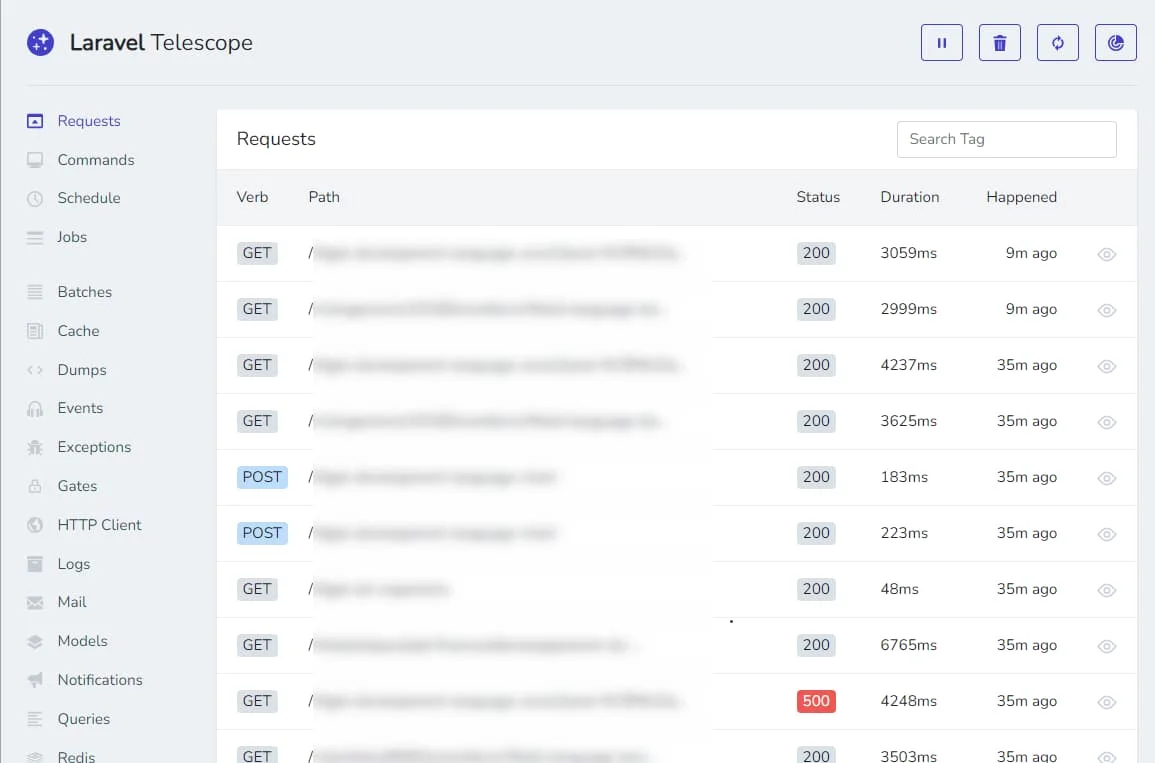
For an eloquent model f.i. we'll retrieve in Telescope (the default URL is http://your_site/telescope), we'll get the raw SQL so it's easy to copy/paste and run directly in pgadmin f.i.
For Redis cache f.i., we'll see keys and if they were retrieved (hits) or created (set).
Laravel Telescope can also be installed on a test server to see what the user is doing and get the full context on each request so when an exception was fired, we can retrieve it in the log, the exception message, the post data, the used URL and much more.
Telescope is a really big improvement about debugging a Laravel application. Consult the official documentation to learn how to install and use it.
Two other Laravel articles on this blog: Working with Laravel events — and Telescope happens to show you every event fired, which makes it a great companion while learning them — and Laravel Filament.
Loading comments…
Related posts

Writing functional tests with Pest
August 30, 2025

Format poorly formatted PHP code
December 1, 2024

Write PHP unit tests using Pest
September 27, 2024

Laravel Filament
November 27, 2023
Working with Laravel events
November 23, 2023