Restore Marknotes with Lovable.dev
Ask Lovable.dev to create a full dockerized application with a backend using Python and FastAPI and a frontend using React.


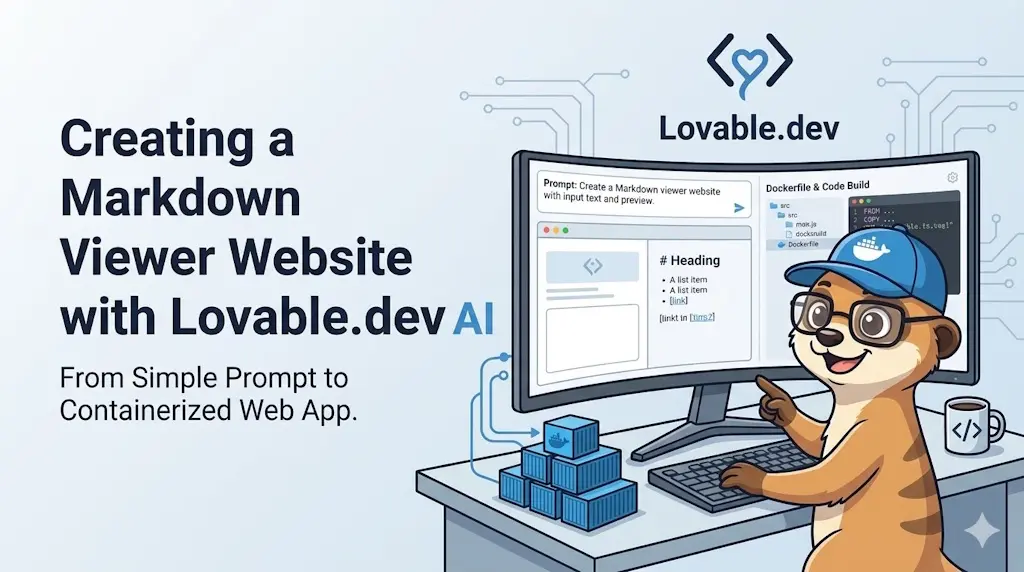
This week, a colleague told me about Lovable.dev, saying: "In a prompt, you just have to describe the program you want to generate, and the tool will build it and even deploy it for you". Wow, I definitely needed to try it.
But what should I ask for? What if I asked it to create a clone of Marknotes? Those who have been following me for years know that I created Marknotes, a note-taking application, 10 years ago. I worked on it for five years before moving on.

Let's see if Lovable.dev can build the same thing in just one hour. Spoiler: it didn't, but it wasn't too bad.
The Result, After One Hour and a Half
After applying a few fixes (the actual path there, below), the application worked! I was able to browse my disk and display the content of my Markdown files.
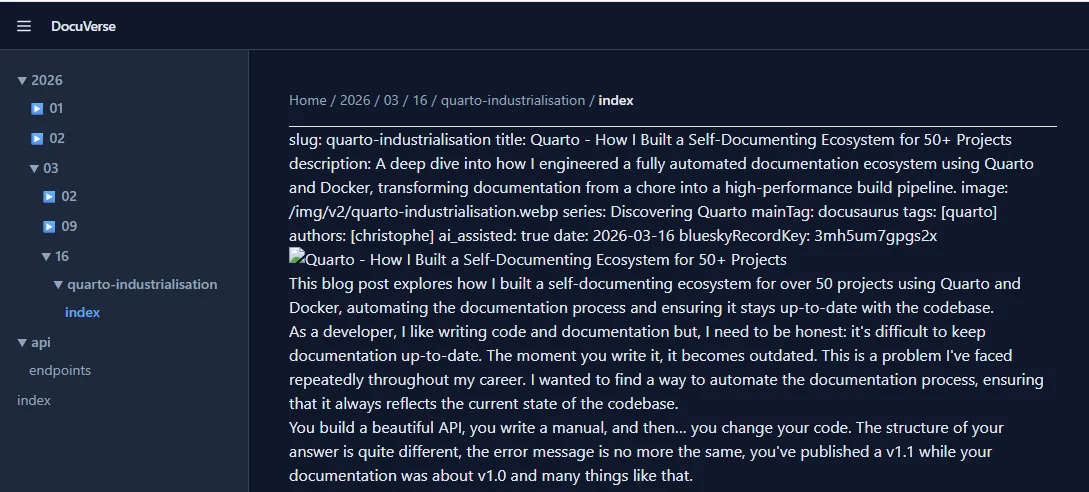
As you can see, the interface is showing the list of files at the left and when I click on a file, the content is rendered at the right. The application is also caching the HTML content in Redis. So, if I click again on the same file, the content is retrieved from Redis and not rendered again.
The rendering is far from perfect, but it's a good start. Perhaps I should specify how to manage the YAML front matter, the titles, etc. Still, it's a very solid foundation.
As requested, I have a breadcrumb at the top of the page to show the file path.
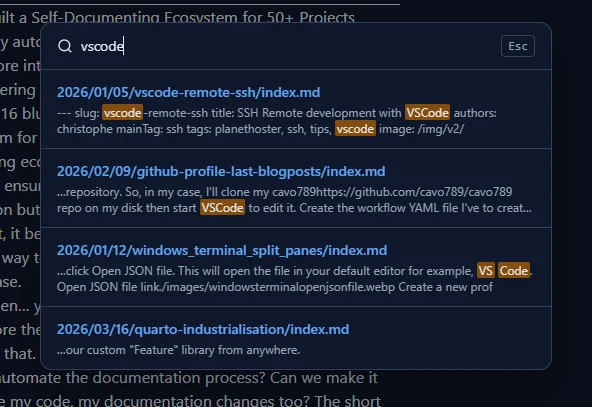
In the top right corner, there is a search engine. By typing vscode, I get a very nice list of files containing that word. When I click on a file, its content is rendered on the right. This feature is pretty good because it allows me to quickly find a file without having to browse through folders.
Another great thing: the API works out of the box. I can get the list of files by calling http://localhost:8000/api/file-tree and the content of a file by calling http://localhost:8000/api/render?path=path/to/file.md.
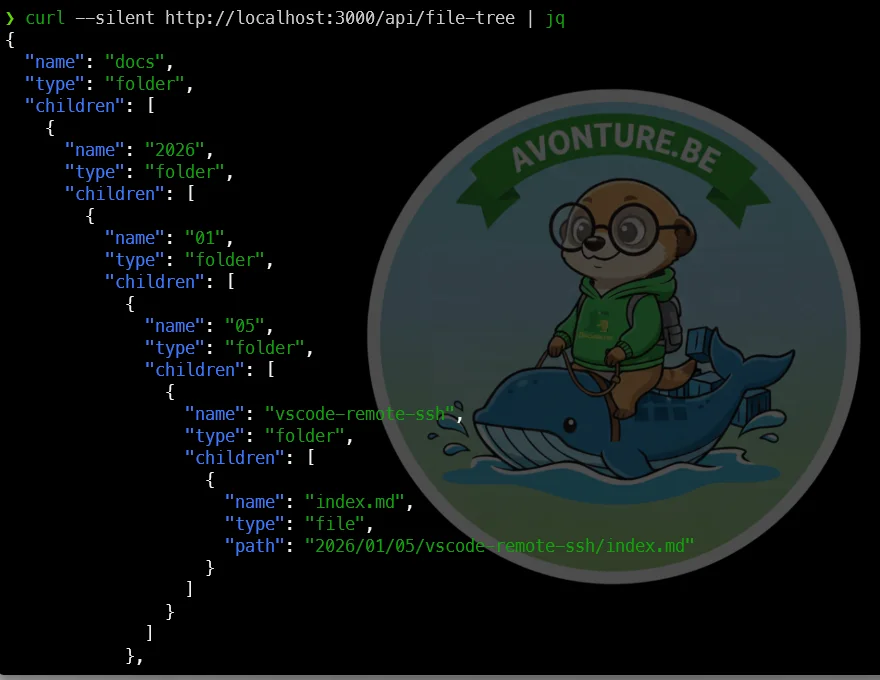
The Objective
I asked it to create a fully dockerized application with a Python/FastAPI backend and a React frontend. The application should render Markdown to HTML once. If the conversion was already done, the HTML should be served from a cache (Redis). The application should be able to browse a folder on my disk recursively and display the list of files and folders. When I click on a file, it should render the Markdown content to HTML and display it.
The application should also have a search engine to search for text in the Markdown files (Meilisearch).
Here is the prompt I used:
**Project Name:** DocuVerse
**Project Goal:**Create a high-performance, containerized, on-the-fly Markdown documentation server. The application will serve a beautiful, responsive, and feature-rich web interface to browse and read Markdown files from a read-only directory. The architecture must be decoupled into a Python/FastAPI backend, a React/Next.js frontend, a Redis cache, and a Meilisearch engine for powerful search capabilities, all orchestrated via Docker Compose.
### **1. High-Level Architecture & Services**
The application will consist of four distinct services running in Docker containers:
1. **`backend` (Python/FastAPI):** The core API. It handles file system scanning, Markdown-to-HTML conversion, caching logic with Redis, and indexing/searching with Meilisearch.2. **`frontend` (Next.js/React):** The user-facing web application. It consumes the backend API to display the file structure, rendered content, and search results. It must be styled with **Tailwind CSS**.3. **`redis` (Official Image):** A high-speed in-memory cache to store the generated HTML, avoiding redundant Markdown parsing.4. **`meilisearch` (Official Image):** A powerful search engine to provide instant, fuzzy, and typo-tolerant search across all documentation files.
### **2. Detailed Backend Specification (`backend` service)**
* **Framework:** **Python 3.11** with **FastAPI**.* **Markdown Parsing:** Use the `markdown-it-py` library. It must be configured with plugins for: * Syntax highlighting for code blocks (e.g., using `pygments`). * Automatic anchor links for headings (`<h2>`, `<h3>`, etc.).* **Caching Strategy:** 1. When a request for a file arrives, the backend MUST read the raw content of the `.md` file. 2. It MUST compute a **SHA256 hash** of the file's content. 3. It MUST query Redis using the hash as the key (e.g., `GET doc-sha256:<hash>`). 4. **Cache Hit:** If Redis returns HTML, serve it immediately. 5. **Cache Miss:** If Redis returns `nil`, parse the Markdown to HTML, store the result in Redis (`SET doc-sha256:<hash> <html_content>`), and then serve it.* **Search Integration (Meilisearch):** * **On Startup:** The backend MUST recursively scan the entire `/docs` directory. For each `.md` file found, it must read its content, strip the Markdown to plain text, and send it to a Meilisearch index named `docs`. Each document in Meilisearch should have at least two fields: `filePath` (e.g., `getting-started/installation.md`) and `content`.* **API Endpoints:** * `GET /api/file-tree`: Returns a JSON object representing the recursive directory structure of the `/docs` volume. Exclude non-Markdown files. * *Example Response:* `{ "name": "docs", "type": "folder", "children": [ { "name": "guide.md", "type": "file", "path": "guide.md" }, { "name": "api", "type": "folder", "children": [...] } ] }` * `GET /api/render/{file_path:path}`: Renders a specific Markdown file. * It implements the caching logic described above. * The response must be a JSON object containing the rendered HTML and a Table of Contents structure. * *Example Response:* `{ "htmlContent": "<h1>Title</h1>...", "toc": [{ "level": 1, "text": "Title", "id": "title" }, { "level": 2, "text": "Subtitle", "id": "subtitle" }] }` * `POST /api/search`: Performs a search query against Meilisearch. * *Request Body:* `{ "query": "fuzzy search boolean" }` * *Response:* A JSON array of results, including the file path and a content snippet (highlighting the match). `[ { "filePath": "...", "snippet": "..." } ]`* **Static Files:** The backend must be able to serve images or other assets referenced in the Markdown files from the `/docs` directory. Create an endpoint like `GET /api/assets/{file_path:path}`.
### **3. Detailed Frontend Specification (`frontend` service)**
* **Framework:** **Next.js** with **React** and **TypeScript**.* **Styling:** **Tailwind CSS**. The UI must be clean, modern, and prioritize content readability.* **Layout (Three-column design):** 1. **Left Sidebar (File Explorer):** Displays the file tree fetched from `/api/file-tree`. It should be collapsible. 2. **Center Column (Content):** Displays the `htmlContent` returned by `/api/render`. This area should take up the maximum available space. 3. **Right Sidebar (Table of Contents):** Displays the active page's ToC, generated from the `toc` object from the API. It should highlight the current section as the user scrolls.* **Persistent UI Elements:** * **Header:** A slim header at the top, always visible. It contains the **Search Bar** and a **Dark/Light Mode toggle**. * **Breadcrumbs:** Located just above the content, showing the path to the current file (e.g., `Home > API Reference > Endpoints`).* **Core Features:** * **Dark/Light Mode:** Must respect the user's OS preference (`prefers-color-scheme`) by default but be overridable with the toggle. Use Tailwind's `dark:` variant. * **Search UI:** The search bar in the header should trigger a call to `/api/search`. Results should be displayed in a clean overlay or dropdown. Clicking a result navigates to that page. The search must support fuzzy search and boolean operators as provided by Meilisearch. * **Code Blocks:** All code blocks (`<pre><code>`) must have: * Excellent syntax highlighting (use `highlight.js` or a similar library). * A "Copy to Clipboard" button that appears on the top-right corner on hover. * **Printing:** The application must have a print-specific stylesheet (`@media print`). When a user hits CTRL+P, the printed output MUST be a clean, perfectly formatted document containing only the main content (no sidebars, headers, etc.).* **Customization:** * The application must load an optional `/config/custom.css` file if it exists. This allows users to override the default styles.
### **4. Containerization & Deployment**
* **`Dockerfile` for `backend`:** Must be a **multi-stage build** to keep the final image size small. Use Poetry for dependency management.* **`Dockerfile` for `frontend`:** Must also be a **multi-stage build**, compiling the Next.js app into an optimized production server.* **`compose.yaml`:** * Define all four services (`backend`, `frontend`, `redis`, `meilisearch`). * Configure service dependencies (`backend` depends on `redis` and `meilisearch`). * **Volumes:** * Mount the user's documentation folder as a read-only volume: `- ./my-docs:/docs:ro`. * Mount an optional config folder: `- ./config:/config:rw`. * Use named volumes for Redis (`redis_data`) and Meilisearch (`meili_data`) data persistence. * Expose frontend on port `3000` and Meilisearch on `7700`.
### **Summary of Instructions:**
Generate the complete, ready-to-use source code for this "DocuVerse" application. This includes:1. The full Python/FastAPI backend project structure.2. The full Next.js/React/Tailwind CSS frontend project structure.3. A root-level `compose.yaml` file to orchestrate all services.4. Optimized, multi-stage `Dockerfile` for both the backend and frontend.
Please ensure the code is clean, well-commented, and follows modern best practices. The generated application should be runnable with a single `docker compose up` command after placing Markdown files in a `my-docs` directory.This is a project specification for DocuVerse, a containerized Markdown documentation server. It describes a four-service architecture with a Python FastAPI backend that serves Markdown files with caching and search, a Next.js React frontend that displays them beautifully, and Redis and Meilisearch services for performance and searching. The entire system runs in Docker containers orchestrated together.
The Actual Path There: Successive Versions and Errors
After one minute, I got a first version of the application. Since I wanted to exclusively use Docker, the command I had to run was docker compose up --build.
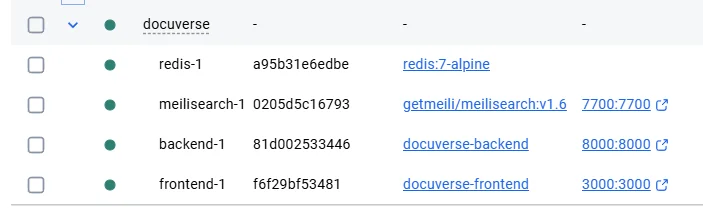
It wasn't working due to an error in the frontend Dockerfile. I copy/pasted the error back into the prompt and got a second version. Then a third, fourth, and finally a fifth version.
The last one built successfully. I got the web interface with two sample Markdown files, but neither displayed due to a Python error.
I copy/pasted the error back into the prompt and received an answer like: "Ok, the error is located in file ... and you should do this update and that one."
Conclusion
After roughly two hours, it was fully working. I was able to browse my disk, display the content of Markdown files, and search for text within the files.
Since AI played a real part in producing this post (and this app), it carries the "AI Assisted" badge — see how I indicate AI-assisted content in Docusaurus if you're curious how that works.
Since I have the full source code, I can continue to improve it myself, ask Lovable.dev to do it for me, or upload the code to another AI platform (like Google AI Studio).
If you want to try it, you can download it by clicking on the button below.
DownloadLoading comments…
Related posts
ai-explain: ELI5 for Scripts and Errors, Right in Your Terminal
November 12, 2026
Open WebUI — Beyond the Chat: Models, RAG, Tools and API Keys
October 26, 2026

ai-data: Let a Local LLM Write Your jq and awk One-Liners
October 22, 2026
Ask My Blog: Turning 259 Articles Into 2,160 Searchable Questions
September 28, 2026