Search your FTP server at lightning speed
Tired of painfully slow FTP search functions? Discover php_grep, the ultra-fast PHP script that uses regular expressions to find content on your FTP server at lightning speed.

This article is part of the WinSCP & remote file transfer series:
- KeePass - Overriding the URL field
- WinSCP - Retrieve a stored password
- Fatal error was starting Putty after having saved settings
- WinSCP - Synchronize host and remote
- FTP - Remove files and folders at light speed
- WinSCP - Visual Basic for Application use
- WinSCP - Download files with specific extension recursively
- Search your FTP server at lightning speed
Changelog

Searching for text on an FTP server can be incredibly slow, especially with tools like WinSCP's built-in search. This article introduces php_grep, a lightweight and ultra-fast PHP script that revolutionizes FTP searching. By simply uploading this single file to your server and accessing it via a URL, you can perform lightning-fast, regular-expression-based searches for content within your files, and even filter results by file type.
Did you know that using WinSCP, you can run a search on your FTP to find all the documents containing a given string? It's native in WinSCP; nothing more to install but...
Other WinSCP tricks on this blog: download files with a specific extension recursively and synchronize host and remote.
However, it's insanely slow; let's see how we can do it better and almost instantaneous.
WinSCP - Search for Text
Probably you never had noticed (it was my case), you can start searching files on your FTP server using WinSCP.
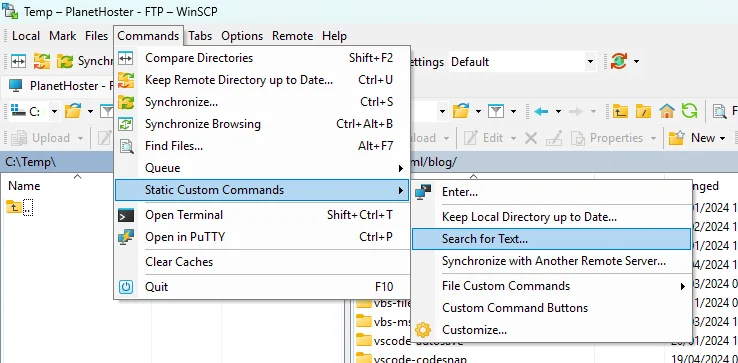
To do this, go to the Commands menu, then Static custom commands and finally Search for Text.... Type your search pattern and press Enter.
A new Powershell prompt will be started and you'll see the list of scanned files.
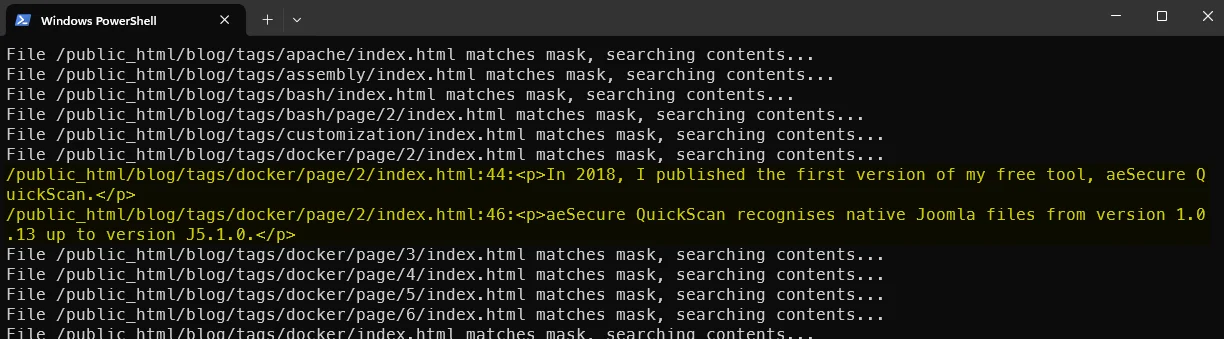
It's a Powershell script
WinSCP will, in fact, start a .ps1 script located here: C:\Program Files (x86)\WinSCP\Extensions\SearchText.WinSCPextension.ps1. Feel free to update the file to match your needs.
It's terribly slow and you'll get a huge list with all your files; not only the ones where the search pattern is retrieved. This function has the merit of existing, but it's not much.
php_grep
Time flies... In 2016, I developed an ultra-fast little script called php_grep that scans every file present and, using a small regular expression, finds the files containing the search pattern and displays its location if the search is successful.
You just need to download a copy of my script (a single PHP page), copy the script on your FTP server and access it using a URL. Really easy.
This done, you'll get an interface where you can type, for sure, the search expression but also restricts the search to f.i. .html files.
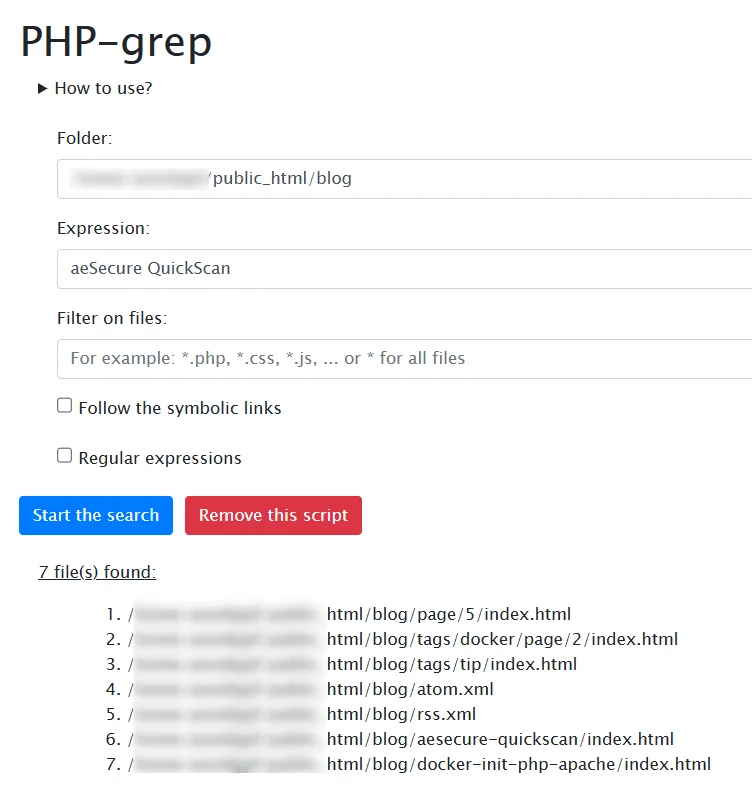
More info on https://github.com/cavo789/php_grep
The trick here is to search on the server, so nothing has to travel over the wire. When the files are already on your own disk, the same "lightning speed" feeling is provided by ripgrep.
This article is part of the WinSCP & remote file transfer series:
- KeePass - Overriding the URL field
- WinSCP - Retrieve a stored password
- Fatal error was starting Putty after having saved settings
- WinSCP - Synchronize host and remote
- FTP - Remove files and folders at light speed
- WinSCP - Visual Basic for Application use
- WinSCP - Download files with specific extension recursively
- Search your FTP server at lightning speed
Related posts


WinSCP - Download files with specific extension recursively
August 22, 2024
WinSCP - Visual Basic for Application use
August 13, 2024
WinSCP - Synchronize host and remote
May 17, 2024

WinSCP - Retrieve a stored password
January 21, 2024