Tooltips de code assistés par l'IA dans Docusaurus — Explique-moi comme à un enfant de cinq ans
Ajoutez des tooltips au survol sur les lignes de code délicates de votre blog Docusaurus — propulsés par Claude, générés au moment du build, zéro latence côté navigateur. On couvre le plugin remark, le renderer React et le script CLI.


Traduction automatique
Cet article fait partie de la série Créer des composants Docusaurus :
- Modifier la façon dont Docusaurus génère les balises img
- Surcharger la génération des balises img avec Docusaurus
- Organisez votre contenu Docusaurus avec un composant Series personnalisé
- Ajouter un bouton « retour en haut » dans les articles Docusaurus
- Créer un plugin de recherche/remplacement pour Docusaurus
- Un composant pour afficher des snippets de code dans un blog Docusaurus
- Un composant Docusaurus qui prévient le lecteur que l'article a plus d'un an
- Afficher le changelog de votre article
- Injecter de l'ASCII art dans toutes les pages HTML générées par Docusaurus
- Best Practice - Personnaliser le flux RSS de Docusaurus pour un contenu complet et des images
- Quelques vérifications sur les images de votre site Docusaurus
- Gestion des tags dans Docusaurus
- Automatiser les résumés TL;DR avec Gemini AI
- Le composant ProjectSetup - Une façon standardisée de partager des structures de projet
- Comment signaler un contenu assisté par IA dans un blog Docusaurus
- Donnez vie à vos tutoriels CLI avec un terminal machine à écrire
- Espiègleries de suricate : semer des easter eggs partout sur mon blog
- Tooltips de code assistés par l'IA dans Docusaurus — Explique-moi comme à un enfant de cinq ans
- Ajouter des réactions de lecteurs à votre blog Docusaurus
- Votre blog est illisible pour une IA. Voici la solution.
- Secouez votre téléphone, surprenez le suricate
- Ajouter un bouton « Copy as Markdown » à votre blog Docusaurus
- Ask My Blog : transformer 259 articles en 2 160 questions cherchables
- La troisième porte : une bulle de chat flottante, et la fonctionnalité que personne ne trouvait
- Dessiner une carte de mon propre blog
- Laissez vos lecteurs signaler les problèmes — un widget de feedback multi-types pour Docusaurus
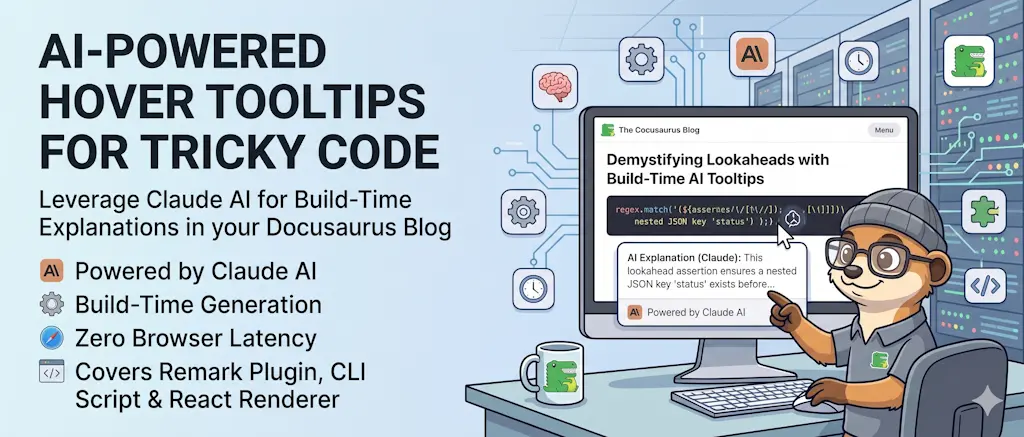
Votre Dockerfile est limpide pour vous. Pour un lecteur débutant, RUN npm ci --omit=dev est du charabia. Cet article ajoute un badge ? sur les lignes délicates de vos blocs de code <Snippet>. Au survol, une explication en langage simple apparaît, générée une seule fois par Claude et stockée dans un fichier JSON — pas de clé API dans le navigateur, pas de latence au survol. Le système compte trois parties : un script Node.js qui appelle l'API Claude et écrit un fichier .eli5.json, une extension d'une ligne à votre plugin remark-snippet-loader existant qui injecte automatiquement les annotations, et un renderer React personnalisé dans le composant Snippet qui superpose les badges. Le workflow de l'auteur : lancer le script, committer le JSON, terminé.
Quand vous écrivez un tutoriel destiné à des développeurs en apprentissage, il y a toujours un écart entre ce que vous supposez qu'ils savent et ce qu'ils savent réellement. Vous pourriez ajouter des explications inline — mais ça alourdit l'article. Vous pourriez ajouter un glossaire — mais les lecteurs le sautent. Ce que vous voulez vraiment, c'est du contexte optionnel, à la demande, qui apparaît exactement là où le lecteur bloque.
C'est ce que fait cette fonctionnalité. Un petit badge ? flotte au bord droit des lignes annotées. Survolez-le, et un tooltip explique la ligne en langage simple. Éloignez la souris, et le code redevient propre.
À quoi ça ressemble
  ┌─ Dockerfile ─────────────────────────────────────────── ▾ ─┐
  │  1  FROM node:20-alpine                               [?]  │
  │  2                                                         │
  │  3  WORKDIR /app                                           │
  │  4  COPY package*.json ./                             [?]  │
  │  5  RUN npm ci --omit=dev                             [?]  │
  │  6                                                         │
  │  7  COPY . .                                               │
  │  8  EXPOSE 3000                                       [?]  │
  │  9  CMD ["node", "server.js"]                         [?]  │
  └────────────────────────────────────────────────────────────┘
             ↓ hover [?] on line 5
  ┌──────────────────────────────────────────────────────────────┐
  │  npm ci installs exactly what's in package-lock.json.        │
  │  --omit=dev skips dev tools — keeps your image smaller.      │
  └──────────────────────────────────────────────────────────────┘
Les badges ? n'apparaissent que sur les lignes que Claude a jugées non triviales. Les lignes vides, les accolades fermantes et les affectations évidentes sont ignorées automatiquement.
Architecture
Le système comporte trois pièces mobiles qui fonctionnent indépendamment :
  ① scripts/generate-eli5.mjs          (run once, by the author)
        ↓  calls Claude API
        ↓  writes blog/2026-xx-xx-my-post/files/Dockerfile.eli5.json
        ↓  commit that file

  ② plugins/remark-snippet-loader       (runs at build time, automatically)
        ↓  reads Dockerfile
        ↓  finds Dockerfile.eli5.json alongside it
        ↓  injects eli5json="..." prop into <Snippet>

  ③ src/components/Snippet/index.tsx   (runs in the browser)
        ↓  parses eli5json prop
        ↓  renders Prism-highlighted code line by line
        ↓  overlays ? badges with tooltips
La décision de conception clé, c'est que les appels à l'IA ont lieu au moment de la rédaction, pas au moment de la lecture — exactement le même pattern que celui utilisé pour générer mes résumés TL;DR avec Gemini. Les fichiers .eli5.json sont committés dans git et embarqués avec le site comme n'importe quel autre asset statique. Les lecteurs n'attendent jamais un appel API, et votre clé API ne quitte jamais votre machine.
Étape 1 — Le script d'annotation
Créez scripts/generate-eli5.mjs. Ce script lit un fichier source, l'envoie à Claude avec un prompt qui demande des explications ligne par ligne, et écrit le résultat dans un fichier JSON à côté de la source.
#!/usr/bin/env node/** * Generate "Explain Like I'm Five" annotations for a source file. * * Usage: * node scripts/generate-eli5.mjs <source-file> [--force] [--output <path>] [--locale <code>] * node scripts/generate-eli5.mjs --locale fr --articles <article-path>... [--dry-run] * * Reads ANTHROPIC_API_KEY from process.env or a .env file at the project root — unless * --backend ollama is passed, which calls the local model instead and needs no key. * Writes <source-file>.eli5.json alongside the source file (or to --output path). * * With --locale (TODO 0121), the output language changes but THE INPUT DOES NOT: an ELI5 * describes code, and the code is identical in every locale. There is no "generate from the * translated article" here — that is the shape of the sibling question index (TODO 0120), * which describes prose. The localized sidecar is written next to the code it explains, as * `<source>.eli5.<locale>.json`, because `files/` is never duplicated under `i18n/` * (plugins/remark-i18n-assets). * * --articles is the batch `translate` calls once an article is translated: it asks * `scripts/lib/i18n-eligibility.mjs` which of that article's snippets are eligible, and never * re-derives the three conditions itself. With --dry-run it constructs no client and spends * nothing, which is what makes the cost quotable before the confirmation prompt. */
import fs from "fs";import path from "path";import { fileURLToPath } from "url";import { createRequire } from "module";import { hashSource } from "./lib/eli5-hash.mjs";import { cmd } from "./lib/cheatsheet-hint.mjs";import { DEFAULT_BACKEND, ELI5_BACKENDS, callEli5Backend, modelFor, printCostNotice, resolveBackend,} from "./lib/eli5-backend.mjs";import { ELI5_COST_PER_FILE, articleKeyOf, eli5Candidates,} from "./lib/i18n-eligibility.mjs";
const require = createRequire(import.meta.url);const __dirname = path.dirname(fileURLToPath(import.meta.url));const projectRoot = path.resolve(__dirname, "..");
// Load .env from project root (best-effort)try { const dotenv = require("dotenv"); // quiet: dotenv's banner goes to stdout, which would corrupt the single "<count>\t<cost>" // line that --porcelain promises to the shell. dotenv.config({ path: path.join(projectRoot, ".env"), quiet: true });} catch { // dotenv not available — rely on environment variables already set}
/** * Escapes the backslashes that do not start a valid JSON escape sequence. * * A snippet whose CODE contains a regex makes the model quote that regex back inside its * explanation, and `~* \.(?:css|js)$` carries a `\.` — a perfectly good regex, an invalid JSON * escape, "Bad escaped character in JSON". It cost the nginx.conf annotation of * `running-docusaurus-with-docker` two full runs before the cause was clear, because the * fenced-response fallback looks like it should already have handled a malformed answer. * * Safe to run over the whole document: in JSON a backslash may only ever appear inside a string, * so any backslash that is not part of `\" \\ \/ \b \f \n \r \t \uXXXX` is a literal the model * failed to escape. Valid escapes are matched first and handed back untouched, `\u` included — * doubling those would corrupt the text this is meant to save. */function repairLoneBackslashes(text) { return text.replace(/\\(u[0-9a-fA-F]{4}|["\\/bfnrt])|\\/g, (whole, valid) => valid ? whole : "\\\\", );}
// Language detection — mirrors the mapping in remark-snippet-loaderconst EXT_TO_LANG = { js: "javascript", mjs: "javascript", cjs: "javascript", jsx: "jsx", ts: "typescript", tsx: "typescript", py: "python", php: "php", sh: "bash", bash: "bash", zsh: "bash", css: "css", html: "html", json: "json", yml: "yaml", yaml: "yaml", md: "markdown", mdx: "markdown", dockerfile: "docker", ini: "ini", sql: "sql", xml: "xml", toml: "toml", env: "bash", txt: "plaintext", ps1: "powershell", bat: "batch", cmd: "batch",};
const BASE_NAME_TO_LANG = { dockerfile: "docker", ".env": "bash", ".gitignore": "plaintext", ".dockerignore": "plaintext", makefile: "makefile",};
function detectLang(filePath) { const baseName = path.basename(filePath).toLowerCase(); if (BASE_NAME_TO_LANG[baseName]) return BASE_NAME_TO_LANG[baseName]; const ext = path.extname(filePath).slice(1).toLowerCase(); return EXT_TO_LANG[ext] || ext || "plaintext";}
// Output language per locale. `en` carries no extra instruction — it is what the prompt below// already asks for, and 798 existing sidecars were generated without one.const LANGUAGES = { en: { name: "English", extra: "" }, fr: { name: "French", extra: `
Write the "summary" and every value in "explanations" in FRENCH. Keep codeidentifiers, file names, commands, flags and option names exactly as they appearin the source — translate the prose around them, never the code itself. Use thevouvoiement-free, direct technical register of French developer documentation.`, },};
const systemPromptFor = ( locale,) => `You are a patient senior developer explaining code to a junior colleague.Given a source file with numbered lines, produce two things:
1. "summary": two to four plain sentences narrating what this snippet does as a whole and why, the way you'd explain it out loud to someone reading over your shoulder — not a recap of individual lines. No jargon unless immediately defined.2. "explanations": for each line a junior developer might find confusing, one or two plain sentences. Think "explain like I'm five but I'm also a developer". Skip blank lines, closing braces/brackets, import lines that are self-evident, comments that already explain themselves, trivially obvious assignments.
Return ONLY a valid JSON object shaped exactly like:{"summary": "...", "explanations": {"3": "...", "7": "..."}}Keys in "explanations" are line numbers as strings. Omit lines that need noexplanation. No markdown, no code fences.${LANGUAGES[locale].extra}`;
/** Where a locale's sidecar lives. `en` keeps the historical unsuffixed name. */function sidecarPath(absSource, locale) { return locale === "en" ? `${absSource}.eli5.json` : `${absSource}.eli5.${locale}.json`;}
async function generateEli5( sourceFile, { force = false, outputPath = null, locale = "en", backend = DEFAULT_BACKEND, quoteCost = true, } = {},) { if (!LANGUAGES[locale]) { throw new Error( `Unsupported locale "${locale}" (known: ${Object.keys(LANGUAGES).join(", ")}).`, ); }
const absSource = path.resolve(sourceFile);
if (!fs.existsSync(absSource)) { throw new Error(`Source file not found: ${absSource}`); }
if (fs.statSync(absSource).isDirectory()) { throw new Error( `"${sourceFile}" is a directory.\n` + ` To process an entire directory, use the bulk script instead:\n` + ` ${cmd("eli5:bulk", "--dir", sourceFile)}`, ); }
const destPath = outputPath || sidecarPath(absSource, locale);
if (!force && fs.existsSync(destPath)) { console.log(`⏭ Skipped (already exists): ${path.relative(projectRoot, destPath)}`); console.log(` Use --force to regenerate.`); return { skipped: true }; }
const code = fs.readFileSync(absSource, "utf-8"); const lang = detectLang(absSource); const lines = code.split("\n");
// Number the lines for the prompt const numberedCode = lines.map((line, i) => `${i + 1}: ${line}`).join("\n");
const maxTokens = lines.length > 50 ? 2048 : 1024; const model = modelFor(backend);
// `quoteCost`: the batch modes below announce the whole run's price once, before the first // call — repeating "1 file × $0.01" on every iteration would bury it. if (quoteCost) printCostNotice(backend, 1);
console.log( `🤖 Calling ${model} for ${path.basename(absSource)} (${lines.length} lines, lang: ${lang}` + `${locale === "en" ? "" : `, text: ${locale}`})...`, );
const raw = await callEli5Backend({ backend, systemPrompt: systemPromptFor(locale), userContent: `Language: ${lang}\n\n${numberedCode}`, maxTokens, });
// Parse JSON — strip markdown fences if the model wrapped it anyway, then repair the one // malformation it produces on its own (see repairLoneBackslashes). Both backends go through // this: a grammar-constrained local answer is not trusted any more than a paid one. const candidates = [raw]; const fenced = raw.match(/\{[\s\S]*\}/); if (fenced) candidates.push(fenced[0]); candidates.push(...candidates.map(repairLoneBackslashes));
let parsed; for (const candidate of candidates) { try { parsed = JSON.parse(candidate); break; } catch { // Try the next shape; the throw below reports the original text, never the repaired one. } }
if (!parsed) { throw new Error(`Could not parse the ${model} response as JSON:\n${raw}`); }
const summary = typeof parsed.summary === "string" && parsed.summary.trim() ? parsed.summary.trim() : null;
// Validate: only keep string values with string-number keys const explanations = parsed.explanations && typeof parsed.explanations === "object" ? parsed.explanations : {}; const cleaned = {}; for (const [k, v] of Object.entries(explanations)) { if (/^\d+$/.test(k) && typeof v === "string" && v.trim()) { const lineIdx = parseInt(k, 10) - 1; if (lineIdx >= 0 && lineIdx < lines.length) { cleaned[k] = v.trim(); } } }
const result = { version: 1, // The model that actually wrote this file — not a constant. Reading a sidecar is how you // tell an Haiku annotation from one produced locally while iterating on the prompt. model, generated: new Date().toISOString(), source: path.basename(absSource), sourceHash: hashSource(code), lang, // `lang` is the language of the CODE (yaml, bash); `textLang` the language of the prose. // Reusing one key for both senses is the contresens TODO 0121 called out up front. textLang: locale, summary, explanations: cleaned, };
fs.writeFileSync(destPath, JSON.stringify(result, null, 2) + "\n"); console.log( `✅ Written: ${path.relative(projectRoot, destPath)}\n ${Object.keys(cleaned).length} annotations on ${lines.length} lines, summary: ${summary ? "yes" : "no"}.`, );
return { skipped: false, destPath, count: Object.keys(cleaned).length };}
/** * Generate the localized sidecars of one or more ARTICLES' snippets. * * What is eligible is decided entirely by `scripts/lib/i18n-eligibility.mjs` — article really * translated, English sidecar present, localized one missing or stale. Nothing here re-tests * any of that, which is why `--force` has no meaning in this mode: a file the module returned * is one that needs writing, and a file it withheld must not be paid for again. That is what * makes `translate <path> --force` free of ELI5 charges when the code did not change. */async function runArticleBatch({ locale, articlePaths, dryRun, porcelain, assumeTranslated, backend = DEFAULT_BACKEND,}) { if (articlePaths.length === 0) { throw new Error("--articles needs at least one article path."); }
const articleKeys = []; for (const candidate of articlePaths) { const key = articleKeyOf(projectRoot, candidate); if (!key) { // Not fatal: `translate` may legitimately hand over a path outside blog/ (a page, say), // and refusing the whole batch over it would block the articles that are fine. if (!porcelain) { console.warn(`⚠ Not inside an article folder, ignored: ${candidate}`); } continue; } articleKeys.push(key); }
const { eligible } = eli5Candidates(projectRoot, locale, { articleKeys, assumeTranslated, }); const cost = eligible.length * ELI5_COST_PER_FILE;
if (porcelain) { // One line, two fields — the contract translation.sh reads. console.log(`${eligible.length}\t${cost.toFixed(4)}`); return; }
if (eligible.length === 0) { console.log(`✅ No ELI5 to generate for ${locale} — every snippet is up to date.`); return; }
if (dryRun) { console.log( `🔍 ${eligible.length} ELI5 sidecar(s) would be generated for "${locale}" ≈ $${cost.toFixed(2)}:`, ); eligible.forEach((f) => console.log(` ${path.relative(projectRoot, f)}`)); console.log("\nDry run — nothing written, no API call made."); return; }
// Announced once, for the whole run, before the first call — not per file. printCostNotice(backend, eligible.length);
let ok = 0; let failed = 0; for (const [index, source] of eligible.entries()) { const relative = path.relative(projectRoot, source); // A plain line, not a trailing `... ` write: generateEli5 logs lines of its own, which // would otherwise land mid-sentence. console.log(` [${index + 1}/${eligible.length}] ${relative}`); try { // force: the eligibility module already decided; a stale localized sidecar must be // overwritten, and generateEli5's own "file exists" guard would otherwise skip it. await generateEli5(source, { locale, force: true, backend, quoteCost: false }); ok++; } catch (err) { // Soft-fail, like the plugin's own ELI5 handling: a missing annotation degrades to the // English one, it never costs the reader the article. console.log(`❌ ${err.message}`); failed++; } }
console.log(`\n🧠 ELI5 ${locale}: ${ok} generated, ${failed} failed.`); if (failed > 0) { console.log( ` Those snippets keep showing their English annotation until regenerated.`, ); }}
// ── CLI ──────────────────────────────────────────────────────────────────────
// Guard: only run CLI logic when this file is the entry point, not when imported.const { fileURLToPath: _fileURLToPath } = await import("url");const _isMain = process.argv[1] === _fileURLToPath(import.meta.url);if (!_isMain) { /* exported as module — skip CLI */} else { const args = process.argv.slice(2);
if (args.length === 0 || args.includes("--help") || args.includes("-h")) { console.log(`Usage: node scripts/generate-eli5.mjs <source-file> [options] node scripts/generate-eli5.mjs --locale fr --articles <article-path>... [options]
Options: --force Regenerate even if the sidecar already exists --backend <name> Who writes the annotation: claude (default, paid, ~$0.01 per file) or ollama (local, free, no API key) — known: ${ELI5_BACKENDS.join(", ")} --locale <code> Write the explanations in that language, to <source-file>.eli5.<code>.json (known: ${Object.keys(LANGUAGES).join(", ")}) --articles Treat the positional arguments as ARTICLES, and generate every eligible snippet sidecar under them (requires --locale) --output <path> Write to a custom path instead of the default sidecar name --dry-run With --articles: report what would be generated, and its cost, without constructing the API client — spends nothing --porcelain With --articles: print "<count>\\t<cost>" only, for scripts --assume-translated With --articles: count the snippets of articles that are ABOUT to be translated, for quoting a price before the translation runs --help, -h Show this help
Examples: node scripts/generate-eli5.mjs blog/2026-01-01-my-post/Dockerfile node scripts/generate-eli5.mjs blog/2026-01-01-my-post/compose.yaml --force node scripts/generate-eli5.mjs src/my-file.sh --output docs/my-file.sh.eli5.json node scripts/generate-eli5.mjs --locale fr --articles blog/2026/09/17/docling --dry-run
Requires ANTHROPIC_API_KEY in your environment or in a .env file at the project root(except for --dry-run and --backend ollama, which never call the API).`); process.exit(0); }
const force = args.includes("--force"); const dryRun = args.includes("--dry-run");
let backend; try { backend = resolveBackend(args); } catch (err) { console.error(`Error: ${err.message}`); process.exit(1); }
const porcelain = args.includes("--porcelain"); const outputIdx = args.indexOf("--output"); const outputPath = outputIdx !== -1 ? args[outputIdx + 1] : null; const localeIdx = args.indexOf("--locale"); const locale = localeIdx !== -1 ? args[localeIdx + 1] : "en";
if (localeIdx !== -1 && !LANGUAGES[locale]) { console.error( `Error: unsupported --locale "${locale}" (known: ${Object.keys(LANGUAGES).join(", ")}).`, ); process.exit(1); }
// Values consumed by a preceding flag are not positional arguments. Miss one here and // `eli5 <file> --backend ollama` runs against a source file named "ollama". const valueIndexes = new Set( [outputIdx, localeIdx, args.indexOf("--backend")] .filter((i) => i !== -1) .map((i) => i + 1), ); const positionals = args.filter((a, i) => !a.startsWith("--") && !valueIndexes.has(i));
if (args.includes("--articles")) { if (locale === "en") { console.error("Error: --articles requires --locale (e.g. --locale fr)."); console.error(" The English sidecars are generated by the bulk script instead:"); console.error(` ${cmd("eli5:bulk")}`); process.exit(1); } runArticleBatch({ locale, articlePaths: positionals, dryRun, porcelain, assumeTranslated: args.includes("--assume-translated"), backend, }).catch((err) => { console.error("❌ Error:", err.message); process.exit(1); }); } else { const sourceFile = positionals[0];
if (!sourceFile) { console.error("Error: no source file specified."); console.error("Run with --help for usage."); process.exit(1); }
generateEli5(sourceFile, { force, outputPath, locale, backend }).catch((err) => { console.error("❌ Error:", err.message); process.exit(1); }); }} // end isMain guardThis script generates "Explain Like I'm Five" annotations for source code by sending files to an AI model (Claude or local Ollama) and storing the structured explanations as JSON sidecars. It supports both single-file generation and batch processing of article snippets in multiple languages, with cost estimation and validation of the AI's responses.
Quelques détails à noter :
- La détection du langage reproduit le mapping de
remark-snippet-loader, pour que les deux composants soient toujours d'accord sur le langage d'un fichier. - Le prompt indique à Claude d'ignorer les lignes triviales et de ne renvoyer qu'un objet JSON. Le message
systemlui impose de produire du JSON pur ; la température est maintenue basse pour des explications factuelles et cohérentes. - Le nettoyage du JSON vérifie que toutes les clés sont des chaînes de chiffres dans l'intervalle attendu et que toutes les valeurs sont des chaînes non vides, pour qu'une réponse malformée de Claude ne puisse pas casser le build.
- Génération incrémentale : si le
.eli5.jsonexiste déjà, le script s'arrête sans appeler l'API. Utilisez--forcepour régénérer.
Utilisation
Vous pouvez aussi ajouter un alias pratique dans package.json :
"scripts": {
  "eli5": "node scripts/generate-eli5.mjs",
  "eli5:bulk": "node scripts/bulk-eli5.mjs"
}
L'appel devient alors yarn eli5 blog/2026-01-01-my-post/files/Dockerfile.
Le format de sortie
Le script écrit un fichier comme celui-ci :
Seules les lignes annotées apparaissent. Le consommateur (le plugin remark et le composant React) considère les lignes absentes comme n'ayant pas de badge.
Étape 2 — Le script par lot
Quand vous avez beaucoup d'articles, lancer le générateur fichier par fichier est fastidieux. scripts/bulk-eli5.mjs parcourt tout votre répertoire blog/, trouve chaque référence <Snippet source="...">, résout le path et génère le .eli5.json en une seule passe.
#!/usr/bin/env node/** * Batch "Explain Like I'm Five" generator. * * Scans all MDX/MD files under --dir (default: blog/) for <Snippet source="..."> usages, * resolves each source file, and generates a .eli5.json annotation file alongside it. * Already-existing .eli5.json files are skipped unless --force is passed. * * Usage: * node scripts/bulk-eli5.mjs [--force] [--dir blog/] [--dry-run] [--backend ollama] * * Requires ANTHROPIC_API_KEY in your environment or in a .env file at the project root — * unless --backend ollama is passed, which calls the local model instead and needs no key. */
import fs from "fs";import path from "path";import { fileURLToPath } from "url";import { createRequire } from "module";import { hashSource } from "./lib/eli5-hash.mjs";import { DEFAULT_BACKEND, ELI5_BACKENDS, callEli5Backend, modelFor, printCostNotice, resolveBackend,} from "./lib/eli5-backend.mjs";
const require = createRequire(import.meta.url);const __dirname = path.dirname(fileURLToPath(import.meta.url));const projectRoot = path.resolve(__dirname, "..");
// Load .env from project root (best-effort)try { const dotenv = require("dotenv"); dotenv.config({ path: path.join(projectRoot, ".env") });} catch { // rely on environment variables already set}
// --- Language detection (same as generate-eli5.mjs) ---const EXT_TO_LANG = { js: "javascript", mjs: "javascript", cjs: "javascript", jsx: "jsx", ts: "typescript", tsx: "typescript", py: "python", php: "php", sh: "bash", bash: "bash", zsh: "bash", css: "css", html: "html", json: "json", yml: "yaml", yaml: "yaml", md: "markdown", mdx: "markdown", dockerfile: "docker", ini: "ini", sql: "sql", xml: "xml", toml: "toml", env: "bash", txt: "plaintext", ps1: "powershell", bat: "batch", cmd: "batch",};
const BASE_NAME_TO_LANG = { dockerfile: "docker", ".env": "bash", ".gitignore": "plaintext", ".dockerignore": "plaintext", makefile: "makefile",};
function detectLang(filePath) { const baseName = path.basename(filePath).toLowerCase(); if (BASE_NAME_TO_LANG[baseName]) return BASE_NAME_TO_LANG[baseName]; const ext = path.extname(filePath).slice(1).toLowerCase(); return EXT_TO_LANG[ext] || ext || "plaintext";}
const SYSTEM_PROMPT = `You are a patient senior developer explaining code to a junior colleague.Given a source file with numbered lines, produce two things:
1. "summary": two to four plain-English sentences narrating what this snippet does as a whole and why, the way you'd explain it out loud to someone reading over your shoulder — not a recap of individual lines. No jargon unless immediately defined.2. "explanations": for each line a junior developer might find confusing, one or two plain-English sentences. Think "explain like I'm five but I'm also a developer". Skip blank lines, closing braces/brackets, import lines that are self-evident, comments that already explain themselves, trivially obvious assignments.
Return ONLY a valid JSON object shaped exactly like:{"summary": "...", "explanations": {"3": "...", "7": "..."}}Keys in "explanations" are line numbers as strings. Omit lines that need noexplanation. No markdown, no code fences.`;
async function generateForFile( absSource, { force = false, backend = DEFAULT_BACKEND } = {},) { const destPath = absSource + ".eli5.json";
if (!force && fs.existsSync(destPath)) { return { status: "skipped", path: destPath }; }
const code = fs.readFileSync(absSource, "utf-8"); const lang = detectLang(absSource); const lines = code.split("\n"); const numberedCode = lines.map((l, i) => `${i + 1}: ${l}`).join("\n");
const model = modelFor(backend); const raw = await callEli5Backend({ backend, systemPrompt: SYSTEM_PROMPT, userContent: `Language: ${lang}\n\n${numberedCode}`, maxTokens: lines.length > 50 ? 2048 : 1024, });
let parsed;
try { parsed = JSON.parse(raw); } catch { const match = raw.match(/\{[\s\S]*\}/); if (match) parsed = JSON.parse(match[0]); else throw new Error(`Invalid JSON from ${model} for ${path.basename(absSource)}`); }
const summary = typeof parsed.summary === "string" && parsed.summary.trim() ? parsed.summary.trim() : null;
// Validate const explanations = parsed.explanations && typeof parsed.explanations === "object" ? parsed.explanations : {}; const cleaned = {}; for (const [k, v] of Object.entries(explanations)) { if (/^\d+$/.test(k) && typeof v === "string" && v.trim()) { const idx = parseInt(k, 10) - 1; if (idx >= 0 && idx < lines.length) cleaned[k] = v.trim(); } }
const result = { version: 1, // The model that actually wrote this file — see scripts/lib/eli5-backend.mjs. model, generated: new Date().toISOString(), source: path.basename(absSource), sourceHash: hashSource(code), lang, summary, explanations: cleaned, };
fs.writeFileSync(destPath, JSON.stringify(result, null, 2) + "\n"); return { status: "generated", path: destPath, count: Object.keys(cleaned).length };}
// --- Find all MDX/MD files recursively ---function findMarkdownFiles(dir) { const results = []; for (const entry of fs.readdirSync(dir, { withFileTypes: true })) { const full = path.join(dir, entry.name); if (entry.isDirectory()) { results.push(...findMarkdownFiles(full)); } else if (entry.isFile() && /\.(mdx?|md)$/.test(entry.name)) { results.push(full); } } return results;}
// --- Extract source paths from <Snippet source="..."> usages ---const SNIPPET_SOURCE_RE = /<Snippet[^>]*\ssource="([^"]+)"/g;
function extractSourcePaths(mdxFile) { const content = fs.readFileSync(mdxFile, "utf-8"); const dir = path.dirname(mdxFile); const sources = []; let match; while ((match = SNIPPET_SOURCE_RE.exec(content)) !== null) { const srcAttr = match[1]; let absPath; if (srcAttr.startsWith("./") || srcAttr.startsWith("../")) { absPath = path.resolve(dir, srcAttr); } else { absPath = path.resolve(projectRoot, srcAttr); } sources.push(absPath); } return sources;}
// --- CLI ---const args = process.argv.slice(2);
if (args.includes("--help") || args.includes("-h")) { console.log(`Usage: node scripts/bulk-eli5.mjs [options]
Options: --force Regenerate even if .eli5.json already exists --backend <name> Who writes the annotations: claude (default, paid, ~$0.01 per file) or ollama (local, free, no API key) — known: ${ELI5_BACKENDS.join(", ")} --dir <path> Directory to scan (default: blog/) --dry-run Show what would be generated without calling the API --help, -h Show this help
Examples: node scripts/bulk-eli5.mjs node scripts/bulk-eli5.mjs --force node scripts/bulk-eli5.mjs --dir blog/2026 --dry-run node scripts/bulk-eli5.mjs --dir blog/2026 --backend ollama --force
Iterate locally, publish with Claude: --backend ollama is there to try a prompt change ona slice of the corpus without spending anything; the published sidecars stay Haiku-generated.
Requires ANTHROPIC_API_KEY in your environment or in a .env file at the project root(except for --dry-run and --backend ollama, which never call the API).`); process.exit(0);}
const force = args.includes("--force");const dryRun = args.includes("--dry-run");
let backend;try { backend = resolveBackend(args);} catch (err) { console.error(`Error: ${err.message}`); process.exit(1);}
const dirIdx = args.indexOf("--dir");const scanDir = dirIdx !== -1 ? path.resolve(projectRoot, args[dirIdx + 1]) : path.resolve(projectRoot, "blog");
if (!fs.existsSync(scanDir)) { console.error(`Error: directory not found: ${scanDir}`); process.exit(1);}
console.log(`🔍 Scanning ${path.relative(projectRoot, scanDir)} for Snippet usages...`);
const mdxFiles = findMarkdownFiles(scanDir);const sourceMap = new Map(); // absPath → Set of mdx files referencing it
for (const mdxFile of mdxFiles) { for (const src of extractSourcePaths(mdxFile)) { if (!sourceMap.has(src)) sourceMap.set(src, new Set()); sourceMap.get(src).add(path.relative(projectRoot, mdxFile)); }}
if (sourceMap.size === 0) { console.log('No <Snippet source="..."> usages found.'); process.exit(0);}
console.log( `Found ${sourceMap.size} unique source file(s) across ${mdxFiles.length} posts.\n`,);
if (dryRun) { for (const [src, refs] of sourceMap) { const relSrc = path.relative(projectRoot, src); const exists = fs.existsSync(src + ".eli5.json"); const action = exists && !force ? "SKIP" : "GENERATE"; console.log(` [${action}] ${relSrc}`); for (const ref of refs) console.log(` ← ${ref}`); } console.log("\nDry run — nothing written."); process.exit(0);}
// What this run will really call for: the sources that exist and are not being skipped.// Counting the map would quote a price for the ⏭ files too.const toGenerate = [...sourceMap.keys()].filter( (src) => fs.existsSync(src) && (force || !fs.existsSync(src + ".eli5.json")),).length;printCostNotice(backend, toGenerate);
let generated = 0, skipped = 0, errors = 0;
for (const [src] of sourceMap) { const relSrc = path.relative(projectRoot, src);
if (!fs.existsSync(src)) { console.warn(` ⚠ Source not found, skipping: ${relSrc}`); errors++; continue; }
process.stdout.write(` 📄 ${relSrc} ... `);
try { const result = await generateForFile(src, { force, backend }); if (result.status === "skipped") { console.log("⏭ skipped"); skipped++; } else { console.log(`✅ ${result.count} annotations`); generated++; } } catch (err) { console.log(`❌ ${err.message}`); errors++; }}
console.log(`\n──────────────────────────────────────`);console.log(`Generated: ${generated} Skipped: ${skipped} Errors: ${errors}`);
if (errors > 0) process.exit(1);This is a batch script that scans blog posts for code snippets, extracts the source files they reference, and generates AI-powered explanation files for each source. It uses either Claude or a local Ollama model to analyze the code and produce summaries plus line-by-line explanations for junior developers, writing the results as JSON sidecars alongside each source file.
Référence des options
| Flag | Défaut | Description |
|---|---|---|
--dir <path> | blog/ | Répertoire à parcourir (relatif à la racine du projet) |
--force | off | Régénère même si .eli5.json existe déjà |
--dry-run | off | Montre ce qui se passerait, sans appel API |
Comment fonctionne le script par lot
Avant de passer au workflow de migration, il est utile de comprendre exactement ce que fait le script — et ce qu'il ne fait pas.
Comment il trouve les fichiers à annoter
Le script lit chaque fichier .md et .mdx sous --dir (par défaut : blog/), et cherche dans chacun les occurrences de <Snippet source="..."> à l'aide d'une expression régulière. Pour chaque correspondance, il résout le chemin source en chemin absolu, déduplique (un fichier référencé dans plusieurs articles n'est traité qu'une fois), puis traite la liste.
Il n'annote pas les blocs de code inline — uniquement les appels <Snippet> qui référencent un fichier externe via source="./files/...".
La règle de saut — idempotent par conception
Pour chaque fichier source, le script vérifie d'abord si <source-file>.eli5.json existe déjà :
- Le fichier existe →
⏭ skipped— zéro appel API, zéro coût, instantané. - Le fichier manque →
✅ N annotations— un appel API vers Claude, fichier écrit.
Ce qui signifie :
- Vous pouvez lancer
yarn eli5:bulkautant de fois que vous voulez. Seuls les fichiers dont le.eli5.jsonmanque déclencheront un appel API. - La première exécution est la seule qui coûte de l'argent (pour les articles existants). Toutes les suivantes sont gratuites.
- Si vous ajoutez un nouvel article avec un
<Snippet>le mois prochain, relanceryarn eli5:bulkn'annotera que ce nouveau fichier. - Si le script est interrompu (erreur réseau, Ctrl+C), relancez-le simplement — les fichiers déjà générés sont ignorés, seuls les restants sont traités.
N'utilisez --force que lorsque vous avez volontairement modifié un fichier source et voulez régénérer ses annotations à zéro.
Annoter vos articles existants
Si vous avez un blog avec beaucoup d'articles — disons 240 — vous ne voulez pas lancer le générateur fichier par fichier. Voici le workflow de migration recommandé.
Phase 1 — Auditer avec dry-run
Avant de toucher à l'API, faites-vous une idée claire de ce que vous avez. Lancez le script par lot avec --dry-run sur tout votre blog :
C'est instantané — aucun appel API n'est fait. La sortie montre chaque fichier source référencé par un <Snippet source="..."> dans un article, et vous dit si son .eli5.json existe déjà ou doit encore être généré :
🔍 Scanning blog/ for Snippet usages...
Found 47 unique source file(s) across 240 posts.

  [SKIP]     blog/2025/03/12-wsl2-tricks/files/wsl.conf
             ← blog/2025/03/12-wsl2-tricks/index.md
  [GENERATE] blog/2025/04/05-docker-compose/files/compose.yaml
             ← blog/2025/04/05-docker-compose/index.md
  [GENERATE] blog/2025/04/05-docker-compose/files/Dockerfile
             ← blog/2025/04/05-docker-compose/index.md
  [GENERATE] blog/2025/06/20-zsh-config/files/.zshrc
             ← blog/2025/06/20-zsh-config/index.md
  ...

──────────────────────────────────────
Generated: 0  Skipped: 3  Errors: 0
Deux choses à remarquer ici :
-
Seulement 47 fichiers sources pour 240 articles. La plupart des articles n'utilisent pas du tout
<Snippet source="...">— ils utilisent des blocs de code inline. Le script par lot les ignore automatiquement. Vous n'annotez pas 240 fichiers ; vous annotez seulement les articles qui utilisent déjà le composant Snippet avec un fichier source externe. -
Les labels
SKIP/GENERATEvous indiquent d'un coup d'œil quels fichiers ont déjà une annotation et lesquels en attendent une. Ça rend le dry-run utile aussi après des exécutions partielles.
Sauvegardez la sortie du dry-run si vous voulez garder une trace d'audit :
Phase 2 — Estimer le coût
claude-haiku-4-5-20251001 coûte une fraction de centime par appel. Un fichier source typique (20 à 60 lignes) coûte environ 0,0002 à 0,001 $. Multipliez par le nombre d'entrées [GENERATE] de votre dry-run.
Pour 47 fichiers sources, vous êtes sous les 0,05 $ au total. Même si chacun de vos 240 articles avait un fichier source, le coût total resterait sous 0,25 $.
Phase 3 — Générer par périmètre
Vous pouvez traiter tout le blog en une commande, ou restreindre à une année ou un mois précis. Tous les chemins sont relatifs à la racine du projet.
Tout traiter d'un coup :
Le script s'exécute séquentiellement (un appel API à la fois), donc aucun risque d'atteindre les limites de débit. Sur une connexion classique, 47 fichiers prennent environ deux minutes.
Traiter une seule année :
Traiter un seul mois :
Traiter un seul dossier d'article :
Cette dernière forme équivaut à lancer generate-eli5.mjs individuellement pour chaque fichier source de cet article — mais le script par lot gère la déduplication automatiquement (si le même fichier source est référencé deux fois dans le même article, il n'est généré qu'une fois).
Phase 4 — À quoi ressemble la sortie pendant l'exécution
🔍 Scanning blog/2025 for Snippet usages...
Found 31 unique source file(s) across 140 posts.

  📄 blog/2025/04/05-docker-compose/files/compose.yaml ... ✅ 6 annotations
  📄 blog/2025/04/05-docker-compose/files/Dockerfile ... ✅ 5 annotations
  📄 blog/2025/04/12-zsh-setup/files/.zshrc ... ✅ 9 annotations
  📄 blog/2025/05/01-devcontainer/files/devcontainer.json ... ✅ 7 annotations
  📄 blog/2025/06/20-fzf/files/fzf-preview.sh ... ⏭  skipped
  ...

──────────────────────────────────────
Generated: 30  Skipped: 1  Errors: 0
Chaque ligne vous dit combien de lignes Claude a décidé d'annoter. Un fichier avec 0 annotations signifierait que Claude n'a rien trouvé de non trivial — ça peut arriver pour des fichiers très courts ou très simples. Un fichier avec ⏭ skipped avait déjà un .eli5.json issu d'une exécution précédente.
Le script peut être interrompu et relancé sans risque. S'il s'arrête en cours de route (erreur réseau, erreur API, Ctrl+C), relancez-le. Les fichiers déjà générés afficheront ⏭ skipped ; seuls les restants seront traités.
Phase 5 — Gérer les erreurs
Si un fichier échoue (Claude renvoie du JSON malformé, timeout réseau), ça affiche :
📄 blog/2025/04/05-docker-compose/files/Makefile ... ❌ Invalid JSON from Claude
Le script continue avec le fichier suivant et se termine avec le code 1 (pour qu'un pipeline CI puisse le détecter). Pour ne réessayer que le fichier en échec :
Si le même fichier échoue de nouveau, ajoutez --force pour régénérer avec un nouvel appel API.
Phase 6 — Vérifier un échantillon
Avant de committer, ouvrez un article avec yarn start et vérifiez que les badges ? apparaissent sur les bonnes lignes. Inspectez un ou deux fichiers .eli5.json pour confirmer la qualité des explications.
Les badges ? sont injectés par le plugin remark pendant le build MDX, pas à l'exécution. Autrement dit, yarn start (port 3000) et yarn build produisent des résultats identiques pour les annotations ELI5. Vous n'avez jamais besoin de lancer un build complet juste pour prévisualiser les tooltips.
Si vous générez un nouveau .eli5.json alors que le serveur de dev tourne déjà, enregistrez le fichier .md correspondant pour relancer le build MDX — les badges apparaîtront au prochain hot reload.
Si une explication est fausse ou trop verbeuse, éditez directement le fichier JSON — c'est du texte brut, aucune régénération nécessaire.
Phase 7 — Committer
Committez les fichiers .eli5.json à côté des fichiers sources qu'ils annotent. C'est volontaire : le CI/CD n'a pas besoin de ANTHROPIC_API_KEY puisque les annotations sont pré-générées et stockées dans git.
Résumé — la migration en cinq commandes
Étape 3 — Étendre le plugin remark
Votre remark-snippet-loader lit déjà le fichier source et injecte les props code et lang dans le nœud <Snippet> au moment du build. Si vous n'avez jamais écrit un tel plugin, mon article search&replace plugin for Docusaurus explique l'anatomie d'un plugin remark depuis zéro. Ajoutez onze lignes pour injecter aussi les annotations ELI5 quand un .eli5.json existe à côté du fichier source.
Dans plugins/remark-snippet-loader/index.cjs, après le bloc qui ajoute l'attribut lang :
Les annotations sont sérialisées en chaîne JSON (prop eli5json) pour rentrer dans le modèle d'attributs MDX sans devoir construire un nœud d'expression estree. Le composant Snippet reparse cette chaîne en objet avec JSON.parse.
Cette approche signifie que l'auteur n'a pas une seule ligne de MDX à changer. Ajoutez le fichier .eli5.json, relancez le build — les tooltips apparaissent automatiquement.
Étape 4 — Mettre à jour le composant Snippet
Le Snippet component demande deux changements : un nouveau sous-composant Eli5CodeBlock qui affiche le code ligne par ligne avec les badges, et une petite mise à jour de la fonction principale Snippet pour parser eli5json et router vers le nouveau renderer.
import React, { useState, useRef, useEffect, useCallback, useMemo, useId, type CSSProperties, type JSX, type ReactNode,} from "react";import { createPortal } from "react-dom";import Prism from "prismjs";import { useTokenize } from "prism-react-renderer";// Eli5CodeBlock (below) needs its own Prism grammars registered on this exact// `prismjs` singleton — everything beyond markup/html/xml/css/clike/javascript// (Prism's default bundle) only exists here as a side effect of requiring its// component file. `prism-react-renderer` (peer-depends on "prismjs": "*", so// it shares this same module instance) registers `additionalLanguages` the// same way whenever a native `<CodeBlock>` renders — meaning `Prism.languages// .bash` etc. was previously only defined here if some *other* CodeBlock had// already rendered first in this process/session. Registering every grammar// `Eli5CodeBlock` can receive (see remark-snippet-loader's `extensionToLang`// map) unconditionally, here, makes that no longer order-dependent.// markup/html/xml/css/javascript need no entry — already in Prism's default// bundle (verified empirically).import "prismjs/components/prism-jsx";import "prismjs/components/prism-typescript";import "prismjs/components/prism-python";import "prismjs/components/prism-markup-templating"; // prism-php's own dependencyimport "prismjs/components/prism-php";import "prismjs/components/prism-bash";import "prismjs/components/prism-json";import "prismjs/components/prism-yaml";import "prismjs/components/prism-markdown";import "prismjs/components/prism-docker";import "prismjs/components/prism-ini";import "prismjs/components/prism-sql";
import CodeBlock from "@theme/CodeBlock";import IconCopy from "@theme/Icon/Copy";import IconSuccess from "@theme/Icon/Success";import LogoIcon from "@site/src/components/Blog/LogoIcon";import clsx from "clsx";import { useVarResolver } from "@site/src/components/Vars/store";import { substitutePlainText, substituteChildren,} from "@site/src/components/Vars/substitute";import VarToken from "@site/src/components/Vars/VarToken";import styles from "./styles.module.css";import Translate, { translate } from "@docusaurus/Translate";
// Extract language from <code className="language-xyz"> inside childrenconst getLanguageFromChildren = (children: ReactNode): string | null => { const findLang = (node: ReactNode): string | null => { if (React.isValidElement(node)) { const props = node.props as { className?: unknown; children?: ReactNode; }; if (typeof props.className === "string") { const match = props.className.match(/language-(\w+)/); if (match) return match[1].toLowerCase(); } if (props.children) { const nested = props.children; if (Array.isArray(nested)) { for (const child of nested) { const lang = findLang(child); if (lang) return lang; } } else { return findLang(nested); } } } return null; }; return findLang(children);};
// Maps code language to styling variantconst mapLangToVariant: Record<string, string> = { apacheconf: "apacheconf", asm: "asm", bas: "vb", bash: "bash", bashrc: "bash", bat: "batch", batch: "batch", cjs: "js", cmd: "batch", css: "css", csv: "csv", diff: "diff", docker: "docker", gherkin: "gherkin", html: "html", ignore: "ignore", ini: "ini", java: "java", javascript: "js", js: "js", jsx: "js", json: "json", log: "log", makefile: "makefile", markdown: "md", markdownlint_ignore: "json", md: "md", mdx: "md", mjs: "js", none: "none", pascal: "pascal", php: "php", plaintext: "txt", powershell: "powershell", ps1: "powershell", py: "python", python: "python", qmd: "md", sh: "bash", sql: "sql", svg: "svg", toml: "toml", ts: "ts", tsx: "ts", txt: "txt", typescript: "ts", vb: "vb", vba: "vb", vbnet: "vbnet", vbs: "vb", xml: "xml", yaml: "yaml", yml: "yaml", zsh: "bash",};
// Map variant keys to their icon components and CSS classes// For retrieving the value for the iconify key, just go to "https://icon-sets.iconify.design/?query=python"// and, in the top right search area, type the name of the language.// When found, click on the desired icon and retrieve the "icon name" as displayed in the bottom part.interface VariantIcon { iconClassName: string; iconify: string; ariaLabel: string;}
const variantIcons: Record<string, VariantIcon> = { apacheconf: { iconClassName: styles.apacheconf_icon, iconify: "logos:apache", ariaLabel: "ApacheConf Logo", }, asm: { iconClassName: styles.asm_icon, iconify: "vscode-icons:file-type-assembly", ariaLabel: "Asm Logo", }, bash: { iconClassName: styles.bash_icon, iconify: "devicon:bash", ariaLabel: "Bash Logo", }, batch: { iconClassName: styles.batch_icon, iconify: "file-icons:ms-dos", ariaLabel: "Batch Logo", }, css: { iconClassName: styles.css_icon, iconify: "ph:file-css", ariaLabel: "CSS Logo", }, csv: { iconClassName: styles.csv_icon, iconify: "ph:file-csv", ariaLabel: "CSV Logo", }, diff: { iconClassName: styles.diff_icon, iconify: "ph:git-diff", ariaLabel: "Diff Logo", }, docker: { iconClassName: styles.docker_icon, iconify: "uil:docker", ariaLabel: "Docker Logo", }, docusaurus: { iconClassName: styles.docker_docusaurus, iconify: "logos:docusaurus", ariaLabel: "Docusaurus Logo", }, gherkin: { iconClassName: styles.gherkin_icon, iconify: "skill-icons:gherkin-light", ariaLabel: "Gherkin Logo", }, html: { iconClassName: styles.html_icon, iconify: "ph:file-html", ariaLabel: "HTML Logo", }, ignore: { iconClassName: styles.ignore_icon, iconify: "codicon:sync-ignored", ariaLabel: "Ignore Logo", }, ini: { iconClassName: styles.ini_icon, iconify: "ph:file-ini", ariaLabel: "INI Logo", }, java: { iconClassName: styles.java_icon, iconify: "vscode-icons:file-type-java", ariaLabel: "Java Logo", }, js: { iconClassName: styles.js_icon, iconify: "logos:javascript", ariaLabel: "JS Logo", }, json: { iconClassName: styles.json_icon, iconify: "ix:json-document", ariaLabel: "JSON Logo", }, log: { iconClassName: styles.log_icon, iconify: "ix:log", ariaLabel: "Log Logo", }, makefile: { iconClassName: styles.makefile_icon, iconify: "vscode-icons:file-type-makefile", ariaLabel: "GNU Makefile Logo", }, md: { iconClassName: styles.md_icon, iconify: "ph:markdown-logo", ariaLabel: "Markdown Logo", }, none: { iconClassName: styles.none_icon, iconify: "ph:empty", ariaLabel: "None Logo", }, pascal: { iconClassName: styles.pascal_icon, iconify: "file-icons:pascal", ariaLabel: "Pascal Logo", }, php: { iconClassName: styles.php_icon, iconify: "bi:filetype-php", ariaLabel: "PHP Logo", }, powershell: { iconClassName: styles.powershell_icon, iconify: "file-icons:powershell", ariaLabel: "Powershell Logo", }, python: { iconClassName: styles.python_icon, iconify: "devicon:python", ariaLabel: "Python Logo", }, sql: { iconClassName: styles.sql_icon, iconify: "ph:file-sql", ariaLabel: "SQL Logo", }, svg: { iconClassName: styles.svg_icon, iconify: "ph:file-svg", ariaLabel: "SVG Logo", }, toml: { iconClassName: styles.toml_icon, iconify: "tabler:toml", ariaLabel: "Toml Logo", }, ts: { iconClassName: styles.ts_icon, iconify: "logos:typescript-icon", ariaLabel: "TypeScript Logo", }, txt: { iconClassName: styles.txt, iconify: "ph:file-txt", ariaLabel: "Txt Logo", }, vb: { iconClassName: styles.vb_icon, iconify: "fluent:document-vb-16-regular", ariaLabel: "VB Logo", }, vbnet: { iconClassName: styles.vbnet_icon, iconify: "fluent:document-vb-16-regular", ariaLabel: "VbNet Logo", }, xml: { iconClassName: styles.xml_icon, iconify: "hugeicons:xml-01", ariaLabel: "XML Logo", }, yaml: { iconClassName: styles.yaml_icon, iconify: "devicon-plain:yaml", ariaLabel: "YAML Logo", },};
// ELI5 line-by-line renderer — used when eli5json prop is present.// Calls Prism.highlight() directly to get syntax-colored HTML per line,// then overlays interactive ? badges for annotated lines.// The tooltip is rendered via a React Portal into document.body so it// escapes every overflow:hidden / stacking-context ancestor.// C0 control characters other than tab/newline/carriage return, plus DEL. A few example files// carry them for real — `make.bat` colours its output with ESC sequences — and a raw control// character in the page is invalid HTML (the SSG minifier flags it on every build, in every// locale). They are shown as their Unicode "control picture" (ESC -> ␛) instead: visible, honest// about what the file contains, and valid markup.const isControlChar = (code: number): boolean => (code <= 0x1f && code !== 0x09 && code !== 0x0a && code !== 0x0d) || code === 0x7f;
function hasControlChars(text: string): boolean { for (let i = 0; i < text.length; i += 1) { if (isControlChar(text.charCodeAt(i))) return true; } return false;}
function showControlChars(text: string): string { if (!hasControlChars(text)) return text; let out = ""; for (let i = 0; i < text.length; i += 1) { const code = text.charCodeAt(i); // U+2400..U+241F picture each C0 control; U+2421 pictures DEL. out += isControlChar(code) ? String.fromCharCode(code === 0x7f ? 0x2421 : 0x2400 + code) : text[i]; } return out;}
interface Eli5CodeBlockProps { code: string; lang: string; eli5: Record<string, string>;}
// Eli5CodeBlock renders its own <pre>, bypassing Docusaurus's native// <CodeBlock> (see below) and losing its built-in copy button in the// process — reimplemented locally rather than pulling in// `@docusaurus/theme-common/internal`'s CodeBlockContext, which TODO 0112// already names as a suspect in an open React hydration bug.function useCopyToClipboard() { const [copied, setCopied] = useState(false); const timeoutRef = useRef<number | undefined>(undefined);
const copy = useCallback((text: string) => { navigator.clipboard.writeText(text).then(() => { window.clearTimeout(timeoutRef.current); setCopied(true); timeoutRef.current = window.setTimeout(() => setCopied(false), 1000); }); }, []);
useEffect(() => () => window.clearTimeout(timeoutRef.current), []);
return { copied, copy };}
function Eli5CodeBlock({ code, lang, eli5 }: Eli5CodeBlockProps): JSX.Element { const [activeLine, setActiveLine] = useState<string | null>(null); const [tooltipStyle, setTooltipStyle] = useState<CSSProperties | null>(null); const { copied, copy } = useCopyToClipboard(); // false until mounted client-side — gates the tooltip's document.body Portal, // which doesn't exist during SSR. const [mounted, setMounted] = useState(false); const badgeRefs = useRef<Record<string, HTMLButtonElement | null>>({});
useEffect(() => { // eslint-disable-next-line react-hooks/set-state-in-effect -- intentional mount flag, see comment on `mounted` above setMounted(true); }, []);
// `Prism.highlight()` + `.split("\n")` (the previous approach) corrupts any // token that spans multiple lines — a `/** … */` JSDoc comment most // commonly — because the highlighted HTML gets cut across an unclosed // `<span>`. Browsers silently repair that malformed HTML while parsing the // page, but repair it *differently* than what React's virtual tree expects // once it hydrates, which is a genuine structural mismatch (React error // #418) on any snippet whose language has multi-line comments/strings — // confirmed via a server-vs-hydrated-DOM diff on `docusaurus-cards.mdx` // (see TODO 0112). `useTokenize` avoids the string-splitting step entirely: // it walks Prism's real token tree and only ever hands back whole tokens, // already split at line boundaries. const grammar = useMemo( () => Prism.languages[lang] || Prism.languages.plaintext || Prism.languages.clike, [lang], ); const tokenizedLines = useTokenize({ prism: Prism, code, grammar, language: lang }); // A trailing `\n` in `code` makes normalizeTokens() append one synthetic // last "line" holding a single `{ content: "\n", empty: true }` token — // drop it so line numbers keep matching `eli5`'s 1-based keys, exactly like // the previous `rawLines.pop()` did for a trailing blank line. const lines = useMemo(() => { const last = tokenizedLines[tokenizedLines.length - 1]; if (last?.length === 1 && last[0].empty) { return tokenizedLines.slice(0, -1); } return tokenizedLines; }, [tokenizedLines]);
// Compute position: tooltip appears above the badge, right-aligned. const positionTooltip = useCallback((lineNum: string) => { const el = badgeRefs.current[lineNum]; if (!el) return; const rect = el.getBoundingClientRect(); setTooltipStyle({ top: rect.top, // translateY(-100%-gap) shifts it above right: window.innerWidth - rect.right, // right-align with the badge }); }, []);
const handleBadgeClick = useCallback( (lineNum: string) => setActiveLine((prev) => (prev === lineNum ? null : lineNum)), [], );
// Keep the tooltip glued to its badge: position is computed once on // hover/focus, but `position: fixed` doesn't move with scrolling — without // this, scrolling the page (or the horizontally-scrollable code block) // while a tooltip is open leaves it stranded at its old screen position. useEffect(() => { if (!activeLine) return undefined; const reposition = () => positionTooltip(activeLine); window.addEventListener("scroll", reposition, { capture: true, passive: true }); window.addEventListener("resize", reposition, { passive: true }); return () => { window.removeEventListener("scroll", reposition, { capture: true }); window.removeEventListener("resize", reposition); }; }, [activeLine, positionTooltip]);
const activeExplanation = activeLine ? eli5[activeLine] : null;
return ( <> <pre className={clsx(`language-${lang}`, styles.eli5_pre)}> <button type="button" className={styles.eli5_copy_button} onClick={() => copy(code)} aria-label={ copied ? translate({ id: "common.copied", message: "Copied" }) : translate({ id: "common.copyCode", message: "Copy code to clipboard" }) } title={translate({ id: "common.copy", message: "Copy" })} > {copied ? ( <IconSuccess className={styles.eli5_copy_icon} /> ) : ( <IconCopy className={styles.eli5_copy_icon} /> )} </button> <code className={`language-${lang}`}> {lines.map((lineTokens, i) => { const lineNum = String(i + 1); const explanation = eli5[lineNum]; const isActive = activeLine === lineNum;
return ( <div key={i} className={styles.eli5_line}> <span className={styles.eli5_code}> {lineTokens.map((token, tokenIdx) => ( <span key={tokenIdx} className={clsx("token", ...token.types)}> {/* Display only: the copy button still copies `code`, real bytes and all. */} {showControlChars(token.content)} </span> ))} </span> {explanation ? ( <span className={styles.eli5_badge_wrapper}> <button type="button" ref={(el) => { badgeRefs.current[lineNum] = el; }} className={clsx( styles.eli5_badge, isActive && styles.eli5_badge_active, )} aria-label={translate( { id: "snippet.explainLine", message: "Explain line {line}" }, { line: lineNum }, )} aria-expanded={isActive} onClick={() => handleBadgeClick(lineNum)} onMouseEnter={() => { positionTooltip(lineNum); setActiveLine(lineNum); }} onMouseLeave={() => setActiveLine(null)} onFocus={() => { positionTooltip(lineNum); setActiveLine(lineNum); }} onBlur={() => setActiveLine(null)} > ? </button> </span> ) : ( <span className={styles.eli5_badge_placeholder} /> )} </div> ); })} </code> </pre> {mounted && activeExplanation && tooltipStyle && createPortal( <span role="tooltip" className={styles.eli5_tooltip} style={tooltipStyle}> {activeExplanation} </span>, document.body, )} </> );}
// ELI5 verbose summary — a Show/Hide disclosure rendered below the code block,// giving a narrative explanation of the whole snippet (as opposed to// Eli5CodeBlock's per-line tooltips). Kept as its own component, deliberately// outside Eli5CodeBlock's render tree — see TODO 0112 (open React hydration// bug on Eli5CodeBlock/<CodeBlock>): this feature must not add surface area// there. Also kept as a sibling of the collapsible `snippet_content` div// (not nested inside it): nesting would let this block's own open/close// change the *inner* scrollHeight without the outer collapsible's height// (computed once per its own toggle) ever re-measuring, clipping the summary// whenever a reader opens it after the snippet was already expanded.interface Eli5SummaryBlockProps { summary: string;}
function Eli5SummaryBlock({ summary }: Eli5SummaryBlockProps): JSX.Element { const [open, setOpen] = useState(false); const contentRef = useRef<HTMLDivElement | null>(null); const [height, setHeight] = useState("0px"); const contentId = `eli5-summary-${useId()}`;
useEffect(() => { if (contentRef.current) { setHeight(open ? `${contentRef.current.scrollHeight}px` : "0px"); } }, [open, summary]);
return ( <div className={styles.eli5_summary_block}> <button type="button" className={styles.eli5_summary_toggle} onClick={() => setOpen((prev) => !prev)} aria-expanded={open} aria-controls={contentId} > <span> {open ? translate({ id: "snippet.hideExplanation", message: "Hide explanation" }) : translate({ id: "snippet.explain", message: "Explain this snippet" })} </span> <span className={styles.eli5_summary_toggle_right}> <span className={styles.eli5_summary_badge}> <Translate id="snippet.poweredByAi">Powered by AI</Translate> </span> <span className={`${styles.chevron} ${open ? styles.rotate : ""}`}> ▾ </span> </span> </button> <div ref={contentRef} id={contentId} className={styles.eli5_summary_content} style={{ maxHeight: height }} > <p className={styles.eli5_summary_text}>{summary}</p> </div> </div> );}
interface Props { filename?: string; title?: ReactNode; code?: string; children?: ReactNode; /** * Force the open/closed state. Leave undefined and the component decides: * open, unless the snippet is longer than COLLAPSE_OVER_LINES. * * Pass `false` explicitly on file-index sections (ProjectSetup articles, * "All Files at a Glance"): there the page is a LIST of files the reader * scans and opens one of, not a narrative the code belongs to. */ defaultOpen?: boolean; variant?: string; lang?: string; eli5json?: string; eli5summary?: string;}
/** * Above this many lines a snippet opens PARTIALLY: the first lines are shown * under a fade, with a "show the remaining N lines" control. Below it, the * snippet simply opens. * * 30 is roughly one screenful of code at 0.85rem/1.6 on a laptop — the point * where "I can take this in at a glance" stops being true. */const COLLAPSE_OVER_LINES = 30;
/** Height of the peek window, in lines. Deliberately less than * COLLAPSE_OVER_LINES so a truncated block always LOOKS truncated. */const PEEK_LINES = 18;
export default function Snippet({ filename, title, code, children, defaultOpen, variant, lang: pluginLang, eli5json, eli5summary,}: Props): JSX.Element { const contentRef = useRef<HTMLDivElement | null>(null);
// Parse eli5json string (injected by remark-snippet-loader) into an object const eli5 = useMemo((): Record<string, string> | null => { if (!eli5json || typeof eli5json !== "string") return null; try { return JSON.parse(eli5json); } catch { return null; } }, [eli5json]);
const eli5Summary = typeof eli5summary === "string" && eli5summary.trim() ? eli5summary.trim() : null;
const lineCount = useMemo( () => (typeof code === "string" ? code.replace(/\n$/, "").split("\n").length : 0), [code], );
const isLong = lineCount > COLLAPSE_OVER_LINES;
/* * The default is OPEN. A reader who clicked "Install Docker under WSL2" came * for the compose file; making them click again to see it is asking them to * work for the thing they searched for. * * Three concrete costs of the old closed-by-default, beyond the extra click: * - find-in-page broke. The collapsed content sits in a max-height: 0 / * overflow: hidden box, which Ctrl+F cannot reach: a reader searching the * page for a variable name got "no results" while the word was right * there. * - printing produced empty boxes. * - the ELI5 "Explain this snippet" control is gated on `open`, so the * line-by-line explanations nobody had expanded were never discovered. * * Long files do not get the old all-or-nothing treatment either: they open * truncated (see PEEK_LINES), so the reader sees WHAT it is immediately and * the page is not eaten by 300 lines. */ const [open, setOpen] = useState(defaultOpen ?? true); const [expandedLong, setExpandedLong] = useState(false);
const handleToggle = useCallback(() => setOpen((prev) => !prev), []); const handleExpandLong = useCallback(() => setExpandedLong(true), []); const contentId = `snippet-content-${useId()}`;
const lang = useMemo(() => { // 1. Check for the `lang` prop provided by your plugin if (pluginLang) return pluginLang;
// 2. Fallback to the existing logic for `children` const languageFromChildren = getLanguageFromChildren(children); if (languageFromChildren) return languageFromChildren;
// 3. Fallback to the filename extension if no other language is found if (typeof filename === "string") { const ext = filename.split(".").pop(); return mapLangToVariant[ext ?? ""] || "plaintext"; }
return "plaintext"; }, [pluginLang, children, filename]);
// Resolve `default` markers (TODO 0088) before rendering. `code` // (from `source=`/`code=`, including files loaded at build time) is plain // text feeding Prism, so substitution there is a string swap — no visible // "this is yours" underline, which the `children` path below gets for // free; an acceptable v1 trade-off, see Vars/readme.md. const resolve = useVarResolver(); const resolvedCode = useMemo( () => (code ? substitutePlainText(code, resolve) : code), [code, resolve], ); const resolvedChildren = useMemo( () => substituteChildren(children, resolve, (name, value, key) => ( <VarToken key={key}>{value}</VarToken> )), [children, resolve], );
// Use line-by-line ELI5 renderer when annotations are available and code is a string. // Otherwise fall back to Docusaurus CodeBlock (or raw children). // // Code holding control characters also takes the ELI5 renderer, with no annotations: it is the // only one that can show them escaped while its copy button keeps the original bytes. The // native <CodeBlock> would either print them raw or copy the escaped version. const codeBlock = useMemo(() => { const hasEli5 = Boolean(eli5 && Object.keys(eli5).length > 0); if (resolvedCode && (hasEli5 || hasControlChars(resolvedCode))) { return <Eli5CodeBlock code={resolvedCode} lang={lang} eli5={eli5 ?? {}} />; } if (resolvedCode) { return <CodeBlock className={`language-${lang}`}>{resolvedCode}</CodeBlock>; } return resolvedChildren; }, [resolvedCode, eli5, lang, resolvedChildren]);
const baseName = useMemo( () => typeof filename === "string" ? (filename.split("/").pop() ?? "").toLowerCase() : null, [filename], );
const isDockerFile = useMemo(() => { if (!baseName) return false; return ( baseName === "dockerfile" || baseName === "docker" || baseName.endsWith(".docker") || baseName.endsWith(".dockerfile") || baseName.endsWith(".dockerignore") || baseName.endsWith("compose.yaml") || baseName.endsWith("compose.yml") || baseName.endsWith("docker-compose.yaml") ); }, [baseName]);
const isDocusaurus = useMemo(() => baseName === "docusaurus.config.js", [baseName]);
const variantKey = useMemo( () => variant || (isDockerFile ? "docker" : isDocusaurus ? "docusaurus" : mapLangToVariant[lang]) || "none", [variant, isDockerFile, isDocusaurus, lang], );
const variantClass = styles[`variant_${variantKey}`] || ""; const IconInfo = variantIcons[variantKey] || variantIcons.none; const { iconify, ariaLabel } = IconInfo;
const displayTitle = title || filename || (lang ? lang.toUpperCase() : translate({ id: "snippet.defaultTitle", message: "Snippet" }));
// Peek mode: long, open, and the reader has not asked for the rest yet. const peeking = open && isLong && !expandedLong;
return ( <div className={clsx(styles.snippet_block, variantClass)}> <button type="button" className={styles.snippet_summary} onClick={handleToggle} aria-expanded={open} aria-controls={contentId} > <span className={styles.filename_wrapper}> <LogoIcon name={iconify} className={styles.snippet_logo} aria-label={ariaLabel} size="32" /> {displayTitle} </span> <span className={clsx(styles.chevron, open && styles.rotate)}>▾</span> </button>
{/* Conditional render, not a max-height animation on a permanently mounted div. With the old approach the collapsed code stayed in the DOM inside an overflow: hidden box — invisible to Ctrl+F but still found by a screen reader, which is the worst of both. Unmounting is honest: closed means closed. */} {open && ( <div ref={contentRef} id={contentId} className={clsx(styles.snippet_content, peeking && styles.snippet_peek)} style={peeking ? { ["--peek-lines" as string]: String(PEEK_LINES) } : undefined} > <div className={styles.snippet_inner}>{codeBlock}</div> {peeking && ( <button type="button" className={styles.snippet_expand} onClick={handleExpandLong} > <Translate id="snippet.showRemaining" values={{ count: lineCount - PEEK_LINES }} description="Control revealing the rest of a truncated snippet" > {"Show the remaining {count} lines"} </Translate> </button> )} </div> )}
{open && eli5Summary && <Eli5SummaryBlock summary={eli5Summary} />} </div> );}This is a React component that displays code snippets with optional explanations and interactive features. It handles syntax highlighting using Prism, supports line-by-line annotations with tooltips, shows verbose summaries powered by AI, and truncates long code blocks to avoid overwhelming the reader while keeping the full content available to search and screen readers.
Comment fonctionne le renderer
Quand eli5json est présent et que code est une chaîne, le composant appelle directement Prism.highlight() au lieu de déléguer au <CodeBlock> de Docusaurus. Prism est déjà embarqué par Docusaurus — l'importer est sans risque et n'a aucun coût sur la taille du bundle.
Le HTML colorisé est découpé aux retours à la ligne. Chaque ligne devient un <div> contenant :
- Un
<span>avec le code colorisé (viadangerouslySetInnerHTML— sans risque puisque Prism n'entoure les tokens que d'éléments<span>) - Soit un bouton
?(si la ligne a une explication), soit un placeholder invisible de même largeur (pour garder toutes les lignes alignées)
Le tooltip apparaît au survol via une paire onMouseEnter/onMouseLeave sur le wrapper du badge, et bascule au clic pour l'accès clavier/mobile. Les handlers focus/blur le rendent accessible au clavier sans acrobaties ARIA supplémentaires.
Quand eli5json est absent (le cas normal), le composant se comporte exactement comme avant — <CodeBlock> est utilisé, rien ne change.
Étape 5 — Ajouter le CSS
Ajoutez ces classes à src/components/Snippet/styles.module.css :
Le eli5_badge_placeholder mérite une explication : chaque ligne du bloc de code doit avoir un élément de droite de même largeur, qu'elle ait un badge ou non. Sans le placeholder, les lignes sans ? seraient plus étroites et le code paraîtrait irrégulier.
Workflow de l'auteur (de bout en bout)
Pour chaque article de blog contenant des blocs <Snippet>, le workflow après une première publication est :
Si le fichier source change après publication, régénérez avec --force :
Mise en place de l'environnement
Étape 1 — Créer un compte Anthropic et obtenir une clé API
Si vous avez déjà un abonnement Claude Pro (claude.ai), il ne couvre que l'interface de chat — il n'inclut pas l'accès API. Les scripts de génération utilisent l'API Anthropic, un produit séparé, à l'usage, facturé à la consommation de tokens. Il vous faut un compte distinct sur console.anthropic.com avec un solde de crédit. La bonne nouvelle : annoter 240 articles avec claude-haiku-4-5 coûte quelques centimes au total (Haiku est le modèle Claude le moins cher, à 1 $ par million de tokens en entrée, et chaque fichier source ne fait que quelques centaines de tokens).
Rendez-vous sur https://console.anthropic.com et inscrivez-vous (ou connectez-vous si vous avez déjà un compte). Une fois connecté :
- Cliquez sur Settings dans la barre latérale gauche (ou allez directement sur
https://console.anthropic.com/settings/keys). - Sélectionnez API Keys dans le menu des paramètres.
- Cliquez sur Create Key.
- Donnez un nom à votre clé (par exemple
docusaurus-eli5) pour pouvoir l'identifier plus tard. - Copiez la clé immédiatement — elle n'est affichée qu'une fois et ne peut pas être récupérée après la fermeture de la boîte de dialogue. Elle ressemble à
sk-ant-api03-....
Stockez la clé en lieu sûr (un gestionnaire de mots de passe fait très bien l'affaire). Si vous la perdez, il faudra en créer une nouvelle.
Ne collez pas votre clé dans du code source, ne la committez pas dans git, ne la partagez pas publiquement. Une clé fuitée peut servir à faire des appels API facturés sur votre compte.
Il vous faudra aussi un solde de crédit de facturation pour passer des appels API. Dans la console Anthropic, allez dans Settings → Billing et ajoutez un petit crédit (quelques dollars suffisent largement pour annoter des centaines d'articles avec Haiku — le coût est de l'ordre d'une fraction de centime par fichier).
Étape 2 — Ajouter la clé à votre projet
Créez un fichier .env à la racine de votre projet Docusaurus (à côté de package.json) :
# .env — do not commit this file
ANTHROPIC_API_KEY=sk-ant-api03-...
Assurez-vous ensuite que .env est dans votre .gitignore :
La clé n'est lue par les scripts de génération qu'au moment de la rédaction. Elle n'est jamais incluse dans le site généré, ni nécessaire en CI — les fichiers d'annotation .eli5.json sont committés dans git à côté des fichiers sources.
Étape 3 — Installer les dépendances
dotenv et @anthropic-ai/sdk sont déjà présents comme dépendances dans ce projet. Si vous partez d'un projet Docusaurus neuf, installez-les en dépendances de développement :
Limitations connues
- Nécessite la prop
source— le renderer ELI5 ne s'active que lorsque le plugin remark injectecodesous forme de chaîne (c'est-à-dire quand vous utilisezsource="./files/myfile"). Les snippets qui utilisent deschildreninline (blocs de code dans le MDX) ne sont pas annotés. - Annotations obsolètes — si vous modifiez fortement un fichier source après avoir généré
.eli5.json, les annotations peuvent ne plus correspondre aux lignes. Lancez--forcepour rafraîchir. Il n'y a pas de détection automatique d'obsolescence. - Lignes longues — si une ligne se replie visuellement (scroll en overflow-x), le badge
?reste à la fin de la ligne logique, potentiellement hors écran. C'est un cas limite pour la plupart des types de fichiers (Dockerfile, YAML, bash) où les lignes sont courtes. - Couverture des langages Prism —
Prism.highlight()retombe sur du texte brut pour les langages non enregistrés dans le bundle Prism de Docusaurus. Les types de fichiers les plus courants (Dockerfile, YAML, Bash, JSON, JavaScript) sont tous dans le bundle par défaut.
Quel modèle Claude utiliser
Les scripts utilisent claude-haiku-4-5-20251001, le modèle Claude le plus rapide et le moins cher. Pour un Dockerfile de 20 lignes, un appel coûte une fraction de centime et répond en moins de deux secondes. La qualité suffit pour l'usage ELI5 — des explications courtes et factuelles de constructions bien connues.
Si vous voulez des explications plus nuancées (par exemple pour des pipelines shell complexes ou des ancres YAML avancées), passez à claude-sonnet-4-6 dans les scripts. Le prompt et le format de sortie restent identiques.
Prolonger l'idée
Quelques pistes à explorer une fois la fonctionnalité de base en place :
- Niveaux de difficulté — le prompt pourrait demander à Claude de taguer chaque explication en
beginner/intermediate/advanced, et le badge pourrait changer de couleur en conséquence (?en vert/jaune/rouge). - Localisation — passez une prop
langau script et ajoutezPlease respond in Frenchau prompt système. Le format.eli5.jsona déjà un champlangpour ça. - Détection d'obsolescence — ajoutez un champ
sourceHash(SHA-256 du fichier source au moment de la génération) dans.eli5.json. Le plugin remark peut le comparer au hash actuel du fichier et émettre un avertissement pendant le build en cas de divergence. - Hook de régénération automatique — un pre-hook
yarn build("prebuild": "node scripts/bulk-eli5.mjs") régénérerait toutes les annotations manquantes avant chaque build. Combiné avecANTHROPIC_API_KEYdans les secrets CI, ça rend la génération d'annotations entièrement automatique.
Cet article fait partie de la série Créer des composants Docusaurus :
- Modifier la façon dont Docusaurus génère les balises img
- Surcharger la génération des balises img avec Docusaurus
- Organisez votre contenu Docusaurus avec un composant Series personnalisé
- Ajouter un bouton « retour en haut » dans les articles Docusaurus
- Créer un plugin de recherche/remplacement pour Docusaurus
- Un composant pour afficher des snippets de code dans un blog Docusaurus
- Un composant Docusaurus qui prévient le lecteur que l'article a plus d'un an
- Afficher le changelog de votre article
- Injecter de l'ASCII art dans toutes les pages HTML générées par Docusaurus
- Best Practice - Personnaliser le flux RSS de Docusaurus pour un contenu complet et des images
- Quelques vérifications sur les images de votre site Docusaurus
- Gestion des tags dans Docusaurus
- Automatiser les résumés TL;DR avec Gemini AI
- Le composant ProjectSetup - Une façon standardisée de partager des structures de projet
- Comment signaler un contenu assisté par IA dans un blog Docusaurus
- Donnez vie à vos tutoriels CLI avec un terminal machine à écrire
- Espiègleries de suricate : semer des easter eggs partout sur mon blog
- Tooltips de code assistés par l'IA dans Docusaurus — Explique-moi comme à un enfant de cinq ans
- Ajouter des réactions de lecteurs à votre blog Docusaurus
- Votre blog est illisible pour une IA. Voici la solution.
- Secouez votre téléphone, surprenez le suricate
- Ajouter un bouton « Copy as Markdown » à votre blog Docusaurus
- Ask My Blog : transformer 259 articles en 2 160 questions cherchables
- La troisième porte : une bulle de chat flottante, et la fonctionnalité que personne ne trouvait
- Dessiner une carte de mon propre blog
- Laissez vos lecteurs signaler les problèmes — un widget de feedback multi-types pour Docusaurus
Chargement des commentaires…
Articles liés

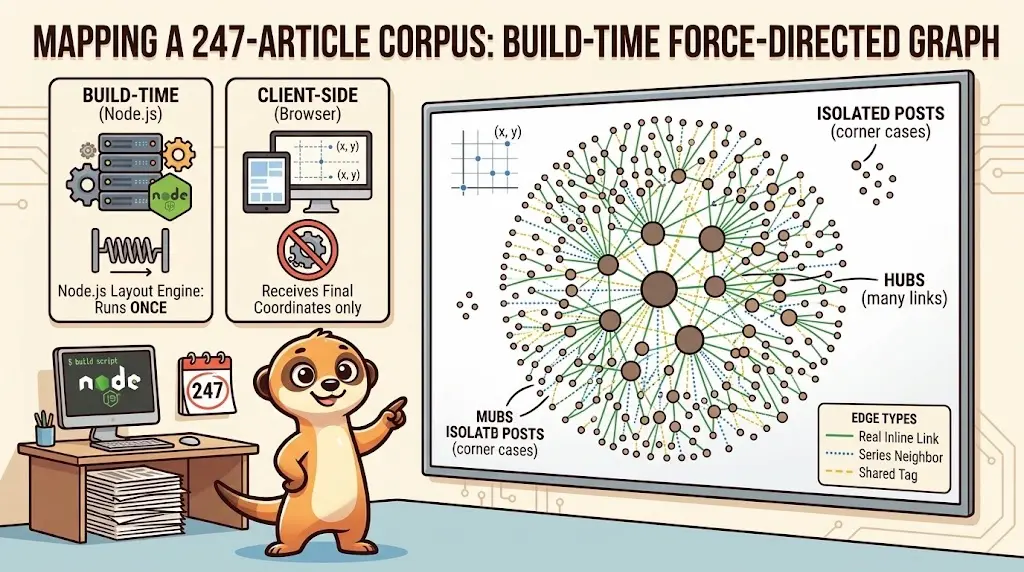
Dessiner une carte de mon propre blog
8 octobre 2026
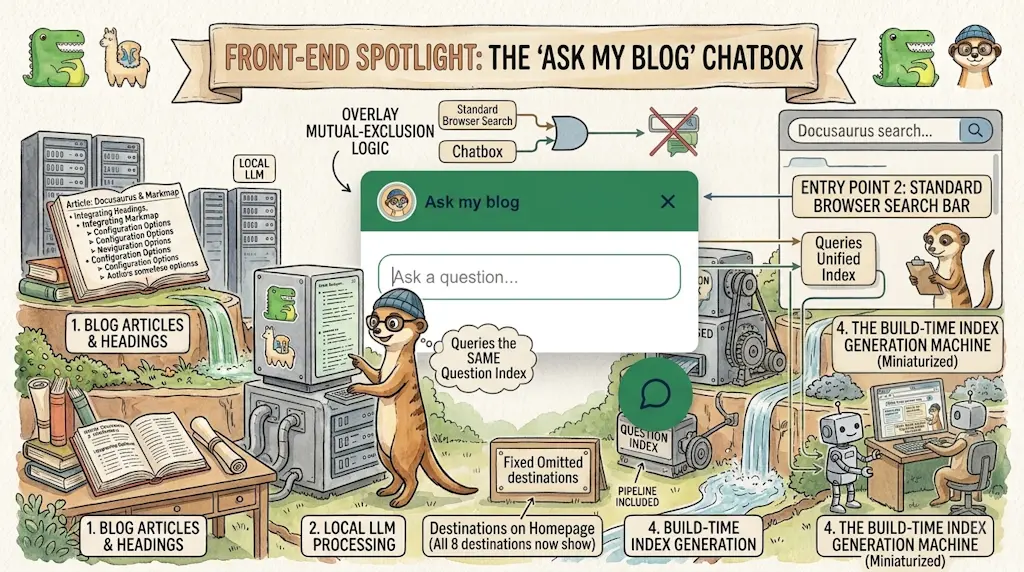
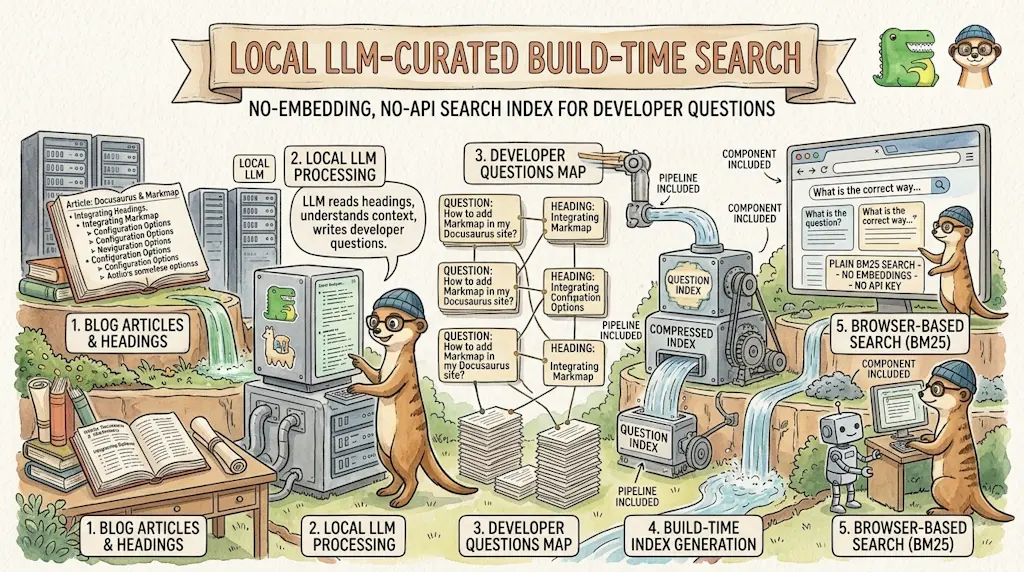
Ajouter un bouton « Copy as Markdown » à votre blog Docusaurus
10 septembre 2026
Secouez votre téléphone, surprenez le suricate
27 août 2026