Articles tagged: Microsoft Windows
Follow Microsoft Windows
They land in your feed reader on their own — no account, no email address, nothing to unsubscribe from. Paste this URL into your reader:
https://www.avonture.be/blog/tags/windows/rss.xmlNo feed reader yet? Start here — it takes two minutes.
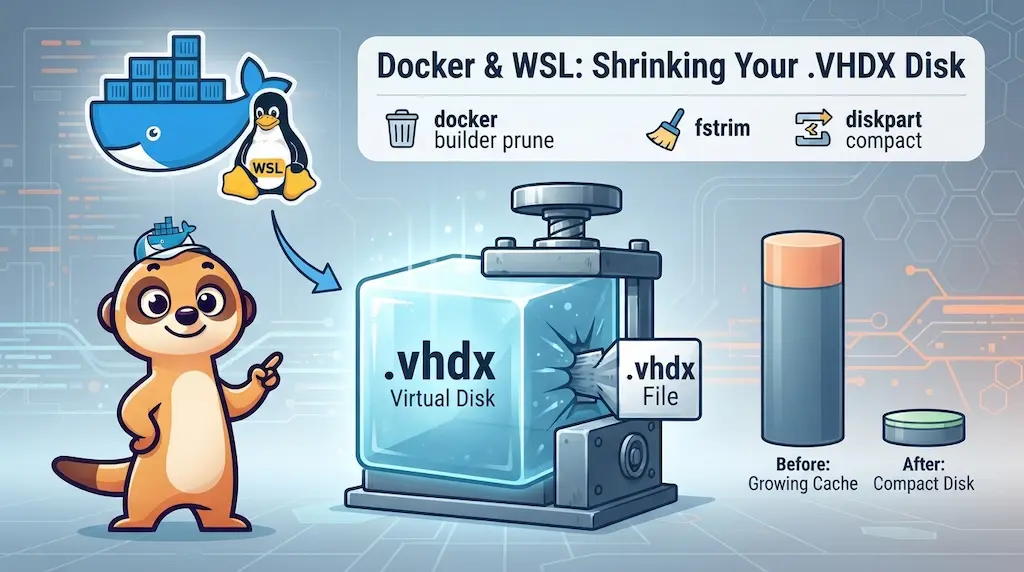
Docker Build Cache Ate 180 GB — Here's How to Get Them Back →
Docker's build cache accumulates silently inside WSL2's VHDX virtual disk — and Windows never reclaims that space on its own. Here is the full fix: three common steps, then one compaction method that depends on whether you have local admin rights.
November 2, 2026

SSH Config Generator: Wildcard Stanzas, Aliases, and Automated Logins →
Generate your SSH config in seconds — then understand how it works: one wildcard eliminates every repeated ProxyJump and IdentityFile, domain stanzas set usernames for FQDNs, short aliases need their own User line, and RemoteCommand lands you directly as the application user.
October 1, 2026

Windows Terminal - Adding a SSH profile →
Adding a SSH profile to Windows Terminal to quickly connect to your servers without typing the full SSH command each time.
January 19, 2026

Use a background image in your Windows Terminal console →
Customize your Windows Terminal! Follow this simple, step-by-step guide to set a cool background image in your console and ditch the old, boring black screen.
April 24, 2025
Enable case sensitivity for filenames under DOS →
Learn how to enable case sensitivity for filenames in a specific folder on Windows, just like on Linux. Use PowerShell and the fsutil.exe command.
March 2, 2025

VBS - Get list of files and generate a CSV →
Need a file list in CSV format? Use this VBScript to scan a folder, including sub-folders, and output file details like size, date, and owner for easy analysis.
November 28, 2024

Running an HTML site in seconds using Docker →
Run any static HTML website in seconds with just ONE Docker command. Skip the headache of installing and configuring Apache or Nginx for a quick local setup.
August 9, 2024

Microsoft Outlook - VBA - Save emails as PDF →
Learn how to implement a VBA macro in Microsoft Outlook to easily save selected emails as PDF files to your hard drive, complete with step-by-step installation and usage instructions.
July 10, 2024

WinSCP - Synchronize host and remote →
Use a script with WinSCP to easily synchronize files between your local host and a remote FTP/SFTP server. Learn the commands for local, remote, or bi-directional synchronization.
May 17, 2024

Windows Terminal →
A complete guide to Windows Terminal. Discover how to install, customize profiles, use backgrounds, and configure settings for WSL, Docker, and multi-tab startup actions.
April 1, 2024
VBS - Auto update script →
Automate updates for your VBS (Visual Basic Script) console scripts! Learn how to create a self-updating VBS file that connects to GitHub, checks for new versions, and overwrites itself.
March 19, 2024

Starting the default associated Windows program on WSL →
Learn the simple command to open files like PDFs and HTML from your WSL Linux console using their default Windows application - powershell.exe.
December 27, 2023
Update all out-of-date Windows programs in batch →
Update all your out-of-date Windows programs in a batch using the powerful winget command-line tool. Learn the commands for a fast and efficient system.
December 14, 2023
Open your Linux folder in Windows Explorer →
Access your Linux files in Windows Explorer! Learn the simple command to open your current WSL folder and how to quickly fix the "wsl.localhost is not accessible" error.
November 3, 2023

KeePass - Overriding the URL field →
Learn how to override the KeePass URL field to launch programs like PuTTY, WinSCP, or a Remote Desktop connection (RDP) directly from your entries.
November 2, 2023
Opening an RDP connection to the Linux local instance →
Learn how to open an RDP connection to your WSLg Linux instance (Ubuntu) for a full graphical desktop environment. Follow this step-by-step guide to installing and configuring xrdp.
November 2, 2023