Getting the number of published posts
Learn the quick and easy way to display the total number of published blog posts on your Docusaurus site using custom components and theme API.

This article is over a year old but was reviewed on July 30, 2026 — the content is still accurate.
This article is part of the Discovering Docusaurus series:
- Getting the number of published posts
- Running your own blog with Docusaurus and Docker
- Some tips and tricks when written articles for Docusaurus

This article shows a quick trick to count published Docusaurus blog posts: open the auto-generated /blog/archive/ page, open the browser's developer console, and run a document.querySelectorAll instruction against the list of post entries to get the total count.
Docusaurus didn't provide an easy way to retrieve the number of blog posts but there is a trick.
If you need that count inside your site rather than once in a console, the helper built in Displaying related posts below our Docusaurus article already parses every post's front matter and can be reused for this.
There is an automatic page called archive like /blog/archive/.
On that page, all blog posts are displayed by year and months. With a document.querySelectorAll console instruction it's possible to make the count as suggested on https://github.com/facebook/docusaurus/discussions/9712
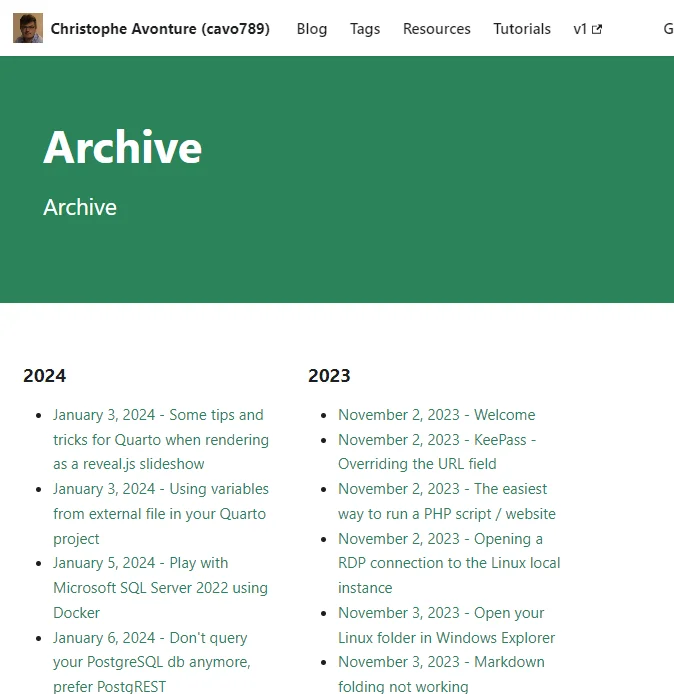
Once the archive page has been displayed, press F12 to start the Developer console.
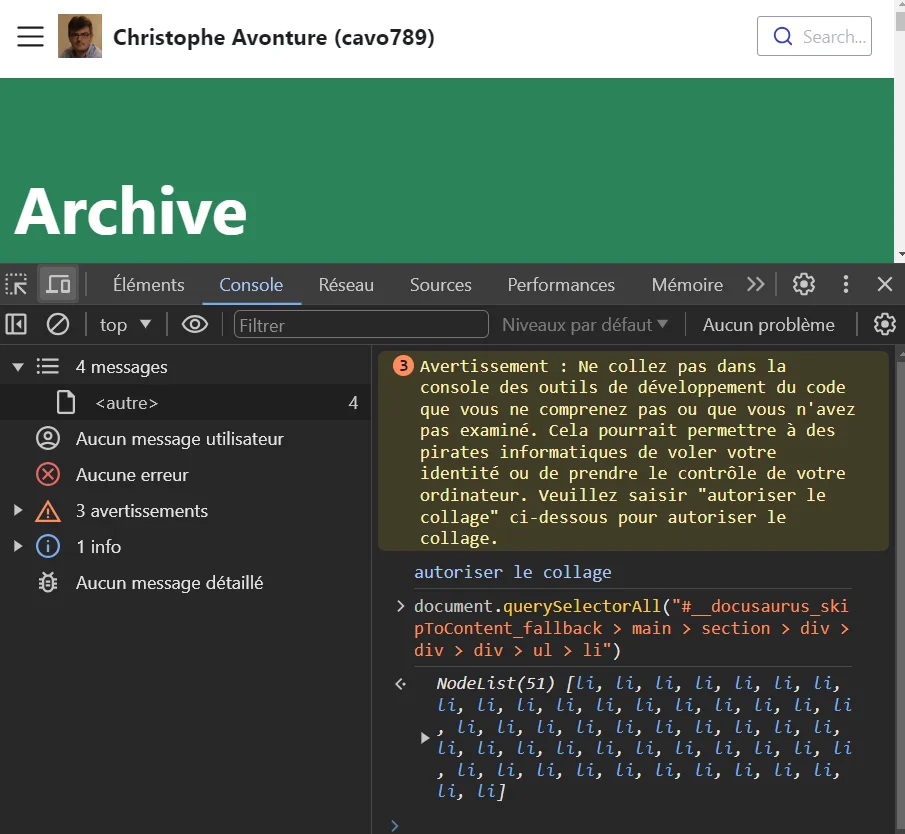
Click on the Console tab then, in the right bottom part, copy/paste the instruction below.
document.querySelectorAll("#__docusaurus_skipToContent_fallback > main > section > div > div > div > ul > li")
The first time, the console will notify you that you should allow pasting (in French autoriser le collage). Please type allow paste to confirm.
Then copy/paste again.
The document.querySelectorAll instruction will retrieve every bullet i.e. the list of posts. You'll immediately see the number, in my case, as illustrated below, 51:
This article is part of the Discovering Docusaurus series:
- Getting the number of published posts
- Running your own blog with Docusaurus and Docker
- Some tips and tricks when written articles for Docusaurus
Related posts


Drawing a Map of My Own Blog
October 8, 2026
Ask My Blog: Turning 259 Articles Into 2,160 Searchable Questions
September 28, 2026
Add a "Copy as Markdown" Button to Your Docusaurus Blog
September 10, 2026